¶ Uplink
All the data that will be shown here are fictitious and used for demonstration purposes only.
¶ What is Uplink?
- Uplinks are the network interfaces that connect the OLT (Optical Line Terminal) to the wider distribution network, essential in fiber optic access networks, especially in broadband networks, such as FTTH (Fiber to the Home) and FTTB (Fiber to the Building).
- Uplinks are generally high-capacity interfaces that connect the OLT to other network devices, such as aggregation routers, distribution switches, or network backbones. They are responsible for transporting data traffic between the OLT and the devices that make up the wider transport network.
¶ What is an Uplink for?
-
An uplink in an OLT plays a crucial role in broadband network infrastructure, especially in fiber-optic access networks, such as FTTH (Fiber to the Home) or FTTB (Fiber to the Building).
- Here are some important functions of an uplink in an OLT:
- Connectivity to the transport network: An uplink allows the OLT to connect to higher-level network devices, such as aggregation routers, distribution switches, or network backbones. This is essential for routing data traffic from the OLT to the wider network and vice versa.
- Traffic aggregation: Uplinks generally have higher bandwidth compared to downlink ports (ports that connect to end subscribers). This allows traffic from multiple subscribers to be aggregated and transmitted efficiently to the transport network.
- Scalability: Uplinks provide a way to expand network capacity, allowing for the addition of more OLTs or increasing the available bandwidth for the existing OLT.
- Redundancy: In certain network configurations, uplinks can be configured to provide redundancy, ensuring greater network reliability. This can be achieved using techniques such as link aggregation or by configuring backup uplinks.
¶ Uplink Editing Flow
- At the moment, we can't create a new Uplink, so we upload the Uplink (s) that are in the OLT to the system so that we can edit them..
¶ First let's navigate to the UpLinks management screen
- Let's navigate to the screen where the UpLinks are managed. When accessing the system, we are faced with the following screen as the home page.
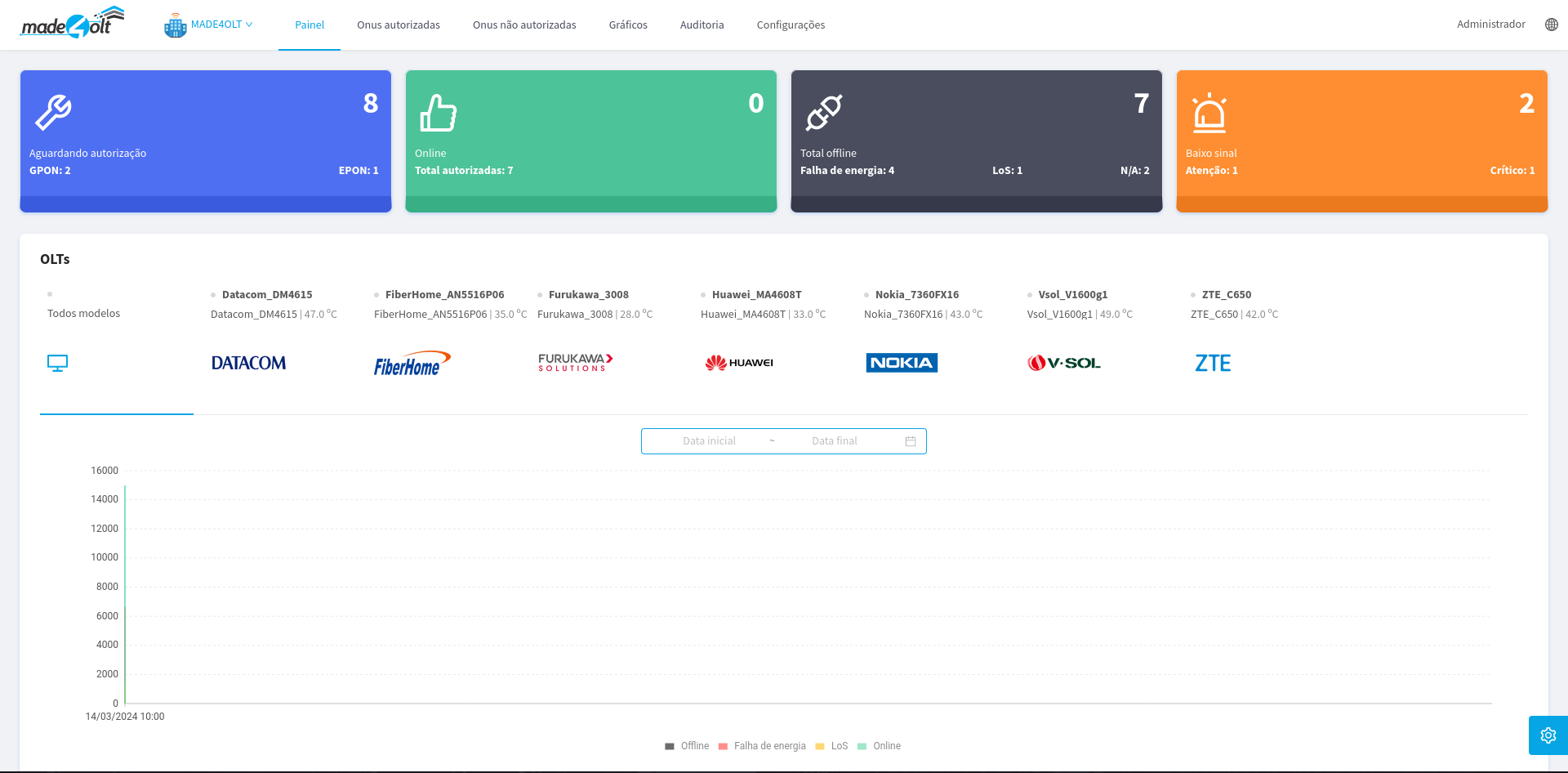
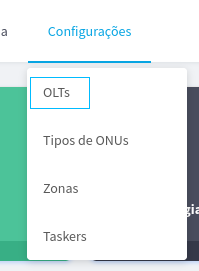
- Then, in the navigation bar found at the top of the screen, we will select the option Settings.

- A Dropdown menu will open, where we will select the option OLTs.
- A side menu will appear listing the OLTs registered in your system.
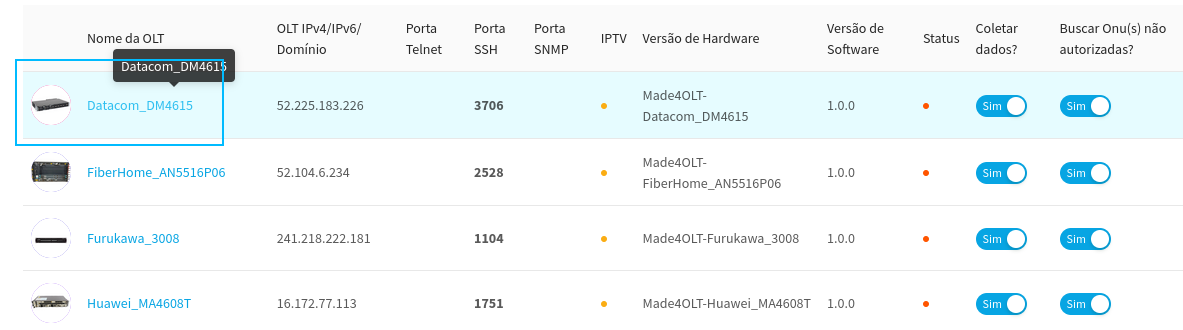
In this case, we will select OLT Datacom_DM4615
- Thus, the user will be redirected to the chosen OLT management screen.
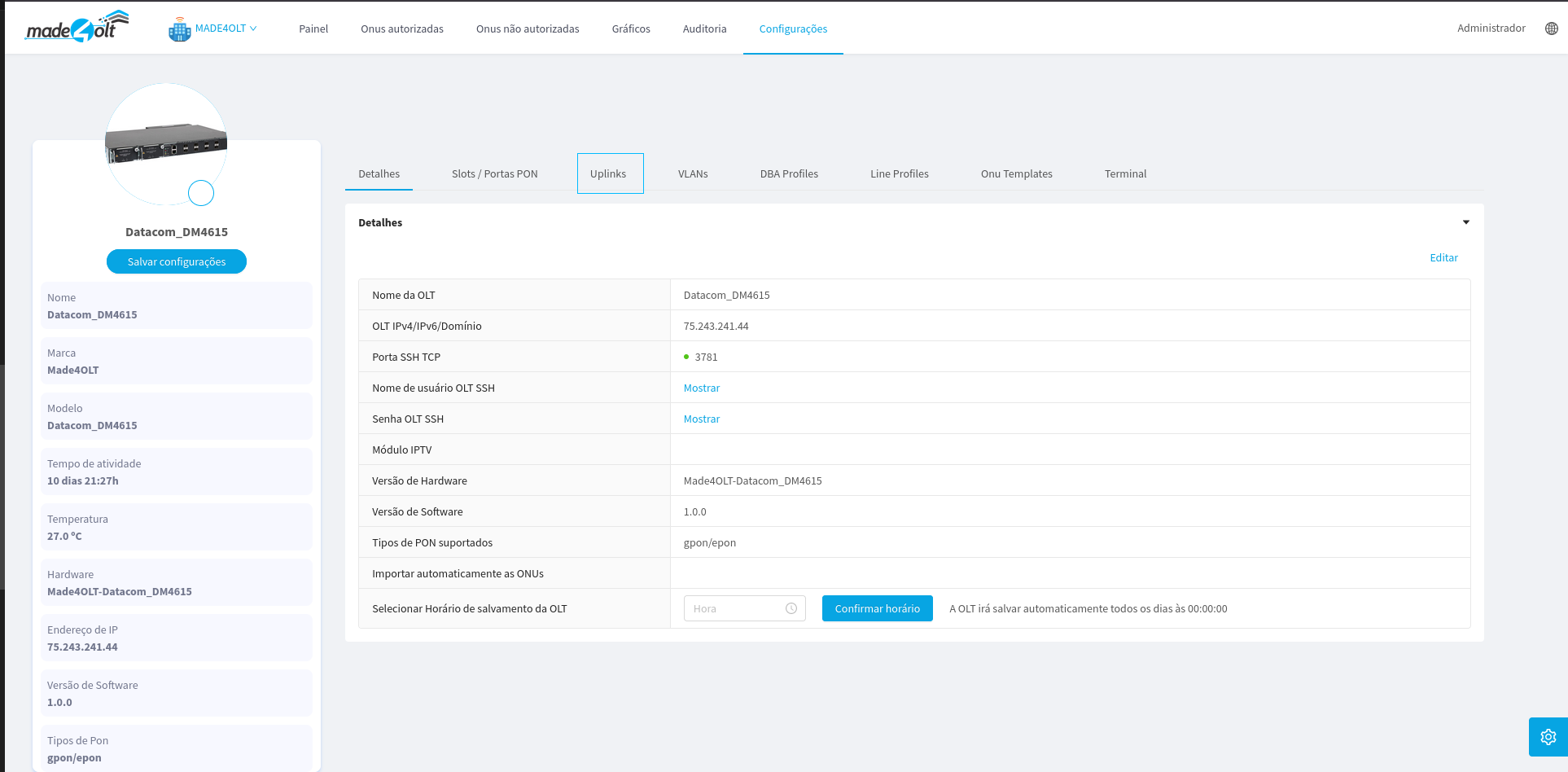
At this point we will focus only on uplinks.
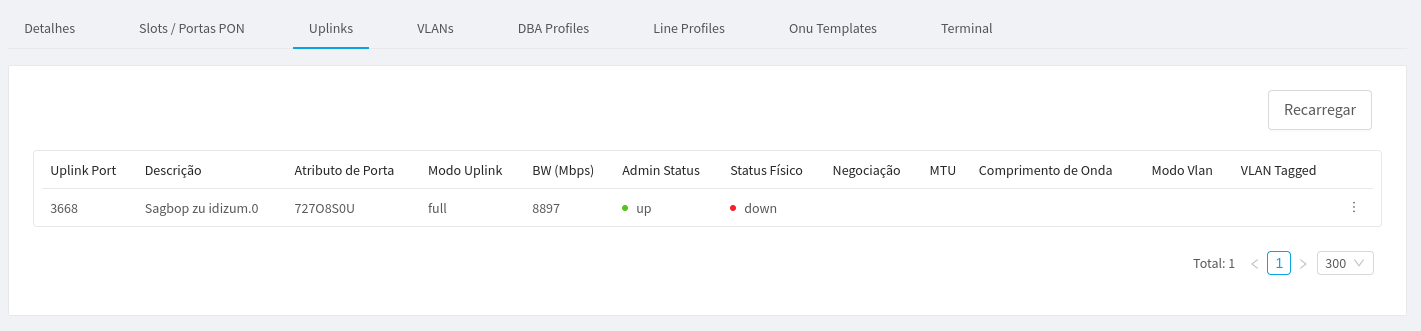
- And here's Our UpLinks screen. In this case, we only have one Uplink associated with our OLT, however, we can have several.
¶ Editing an Uplink
- First, we select which Uplink we would like to edit, in our case, we only have one, so we will edit it. To do this, we click on the button with 3 dots on the right.
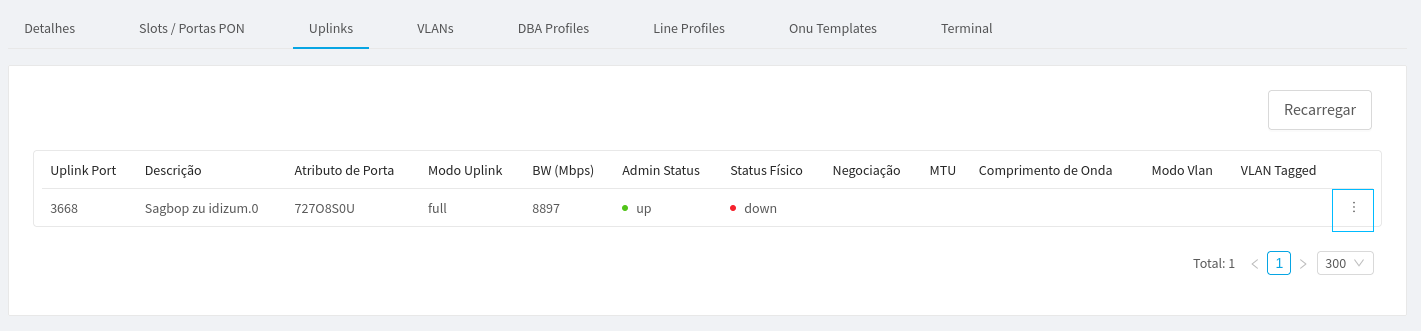
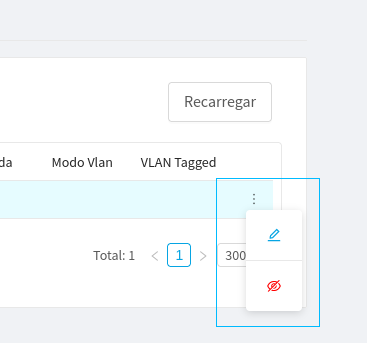
This in turn will open a small tooltip with the available options.
2. Here we will select the first option, so that the editing menu opens.
3. Clicking on the option will open the following side menu.
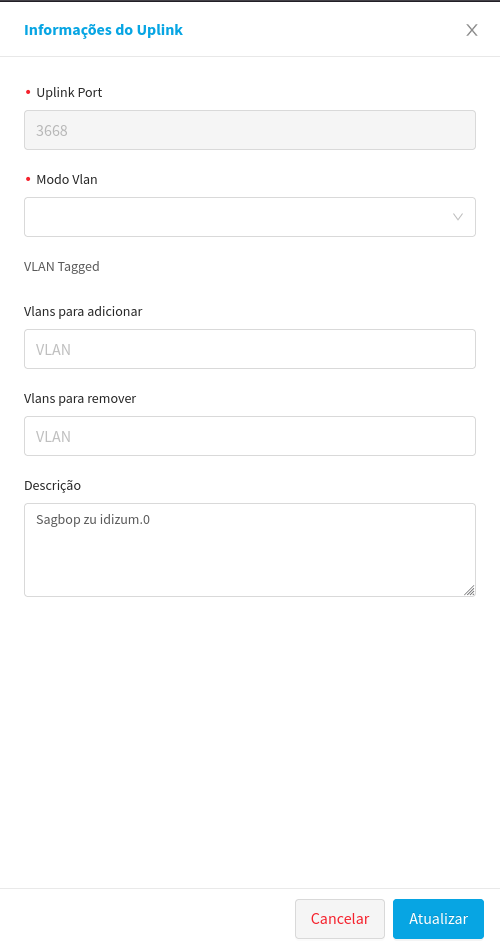
Note that the Uplink port cannot be changed. So we'll start our editing from the following property.
4. VLAN Mode Edition:
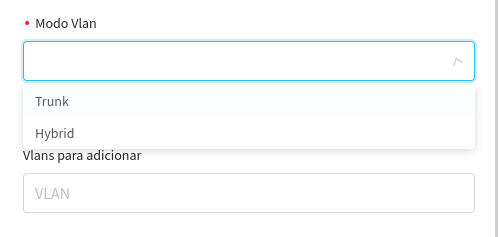
* **Trunk (Trunk Mode):** In this mode, the port is configured to accept and transmit traffic from multiple VLANs, keeping the VLAN information in the data frames using VLAN tags. This means that the switch does not remove the VLAN tags from the data frames that pass through that port, allowing multiple VLANs to share the same physical connection. This mode is especially useful for interconnecting switches and routers that need to handle traffic from multiple VLANs.
* **Hybrid Mode:** This mode is similar to trunk mode, but offers additional flexibility. On a port configured as a hybrid VLAN, the network administrator can assign a native (untagged) VLAN to the port, while the other VLANs are transmitted as a tagged VLAN (with VLAN tags). This means that traffic from the native VLAN will not be tagged with a VLAN tag, while traffic from the other VLANs will be marked with VLAN tags. This mode is useful in situations where it is necessary to separate traffic from specific VLANs, but it is also necessary to allow unmarked traffic from a native VLAN.
* In this example, we will select the option **Trunk**.
- Editing the VLANs to add:
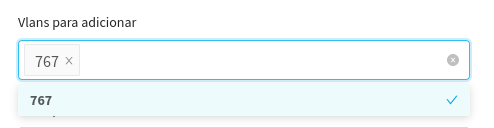
* Here we selected the VLANs that we would like to associate with this Uplink, following network standards.
- Editing the VLANs to remove:
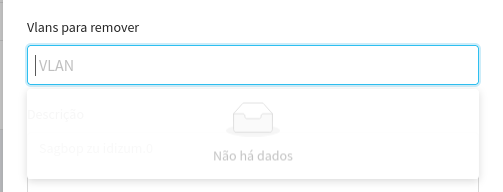
* Here, in the same way as the previous property, we will select VLANs, but in this case, to be disassociated from Uplink.
- Now, all that remains is to click on the update to finish the edition on our Uplink.
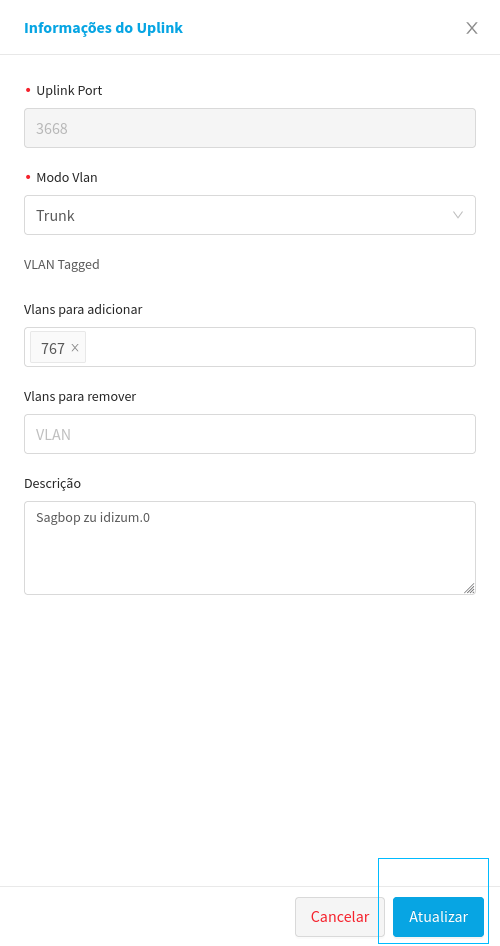
8. In this way, we can already observe that the VLAN mode has been updated.
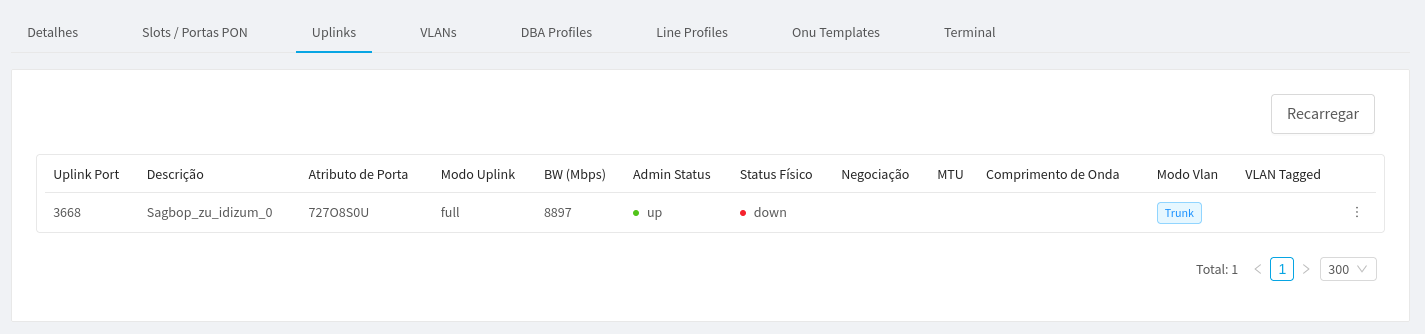
¶ This concluded the editing of an Uplink using Made4olt.
All data used in this manual are fictitious and for demonstration purposes only.