¶ 📘 Objective
This guide explains how to reload a pon in the made4olt, updating all ONUs linked to it in a specific olt.
¶ ⚙️ When to use
A reload of a pon is necessary when you need to update all ONUs on a pon port, whether after configuration changes, data synchronization, or to force the reprocessing of information from olt.
¶ 🧭 Step by step
¶ 1️⃣ Access the desired olt
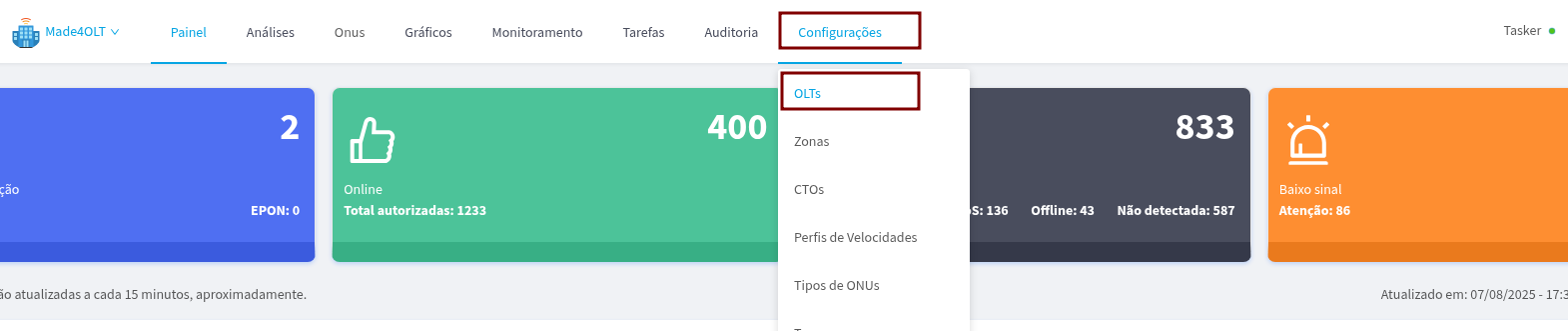
In the side menu, go to Settings → olts.
¶ 2️⃣ Select the olt
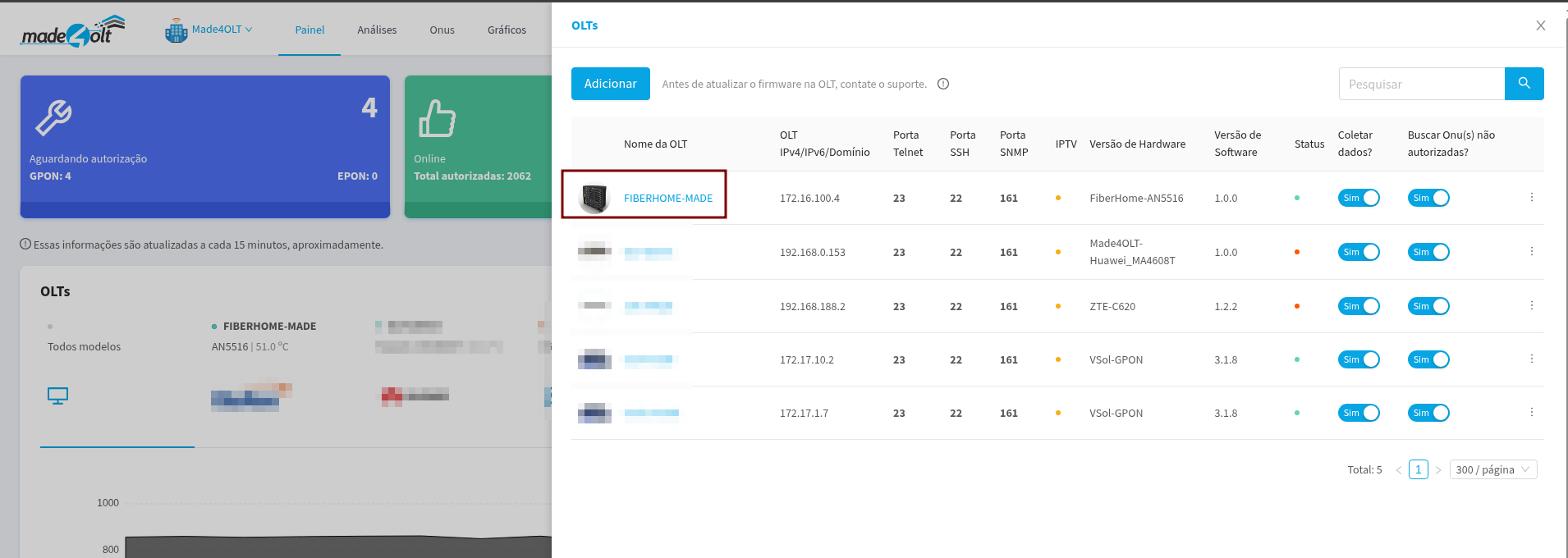
Click on the olt that contains the pon you want to reload.
¶ 3️⃣ Go to "Slots / Ports pon"
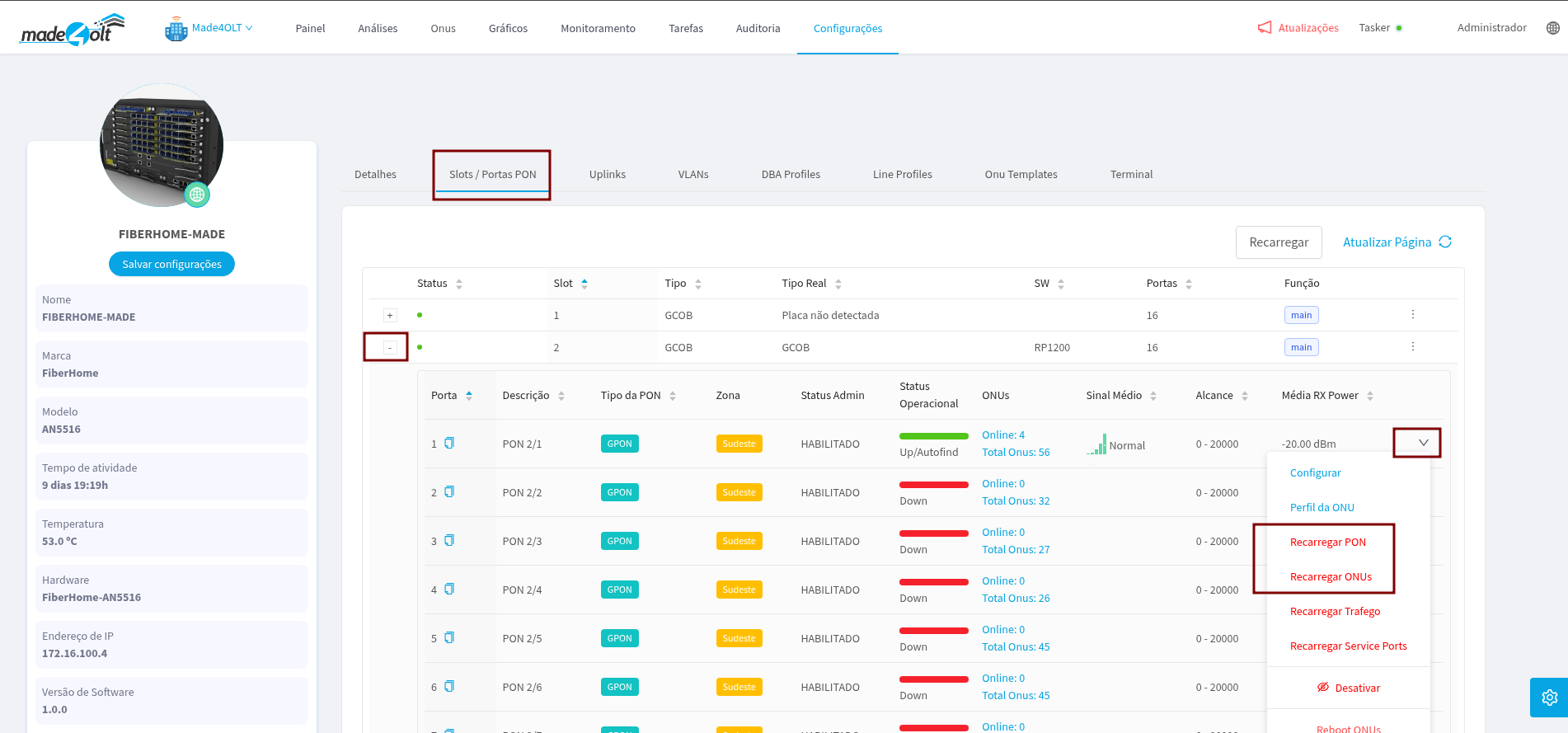
In the olt panel, go to the "Slots / Ports pon" tab, select the slot and the pon you want to reload.
¶ ✅ Expected result
After recharging, the system will update the information of the pon or ONUs, reflecting the most recent settings applied to olt.