¶ Registering NAS on Made4Graph
To register your NAS with Made4Graph, you need to go to the options bar in the left corner and select the NAS option.
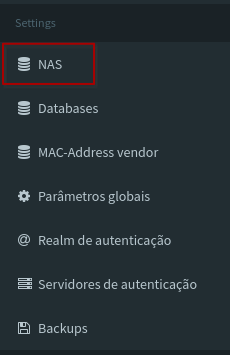
After that you will be on the screen for adding and editing the equipment. To register your equipment, simply select the Add NAS option and then you will enter the registration screen.
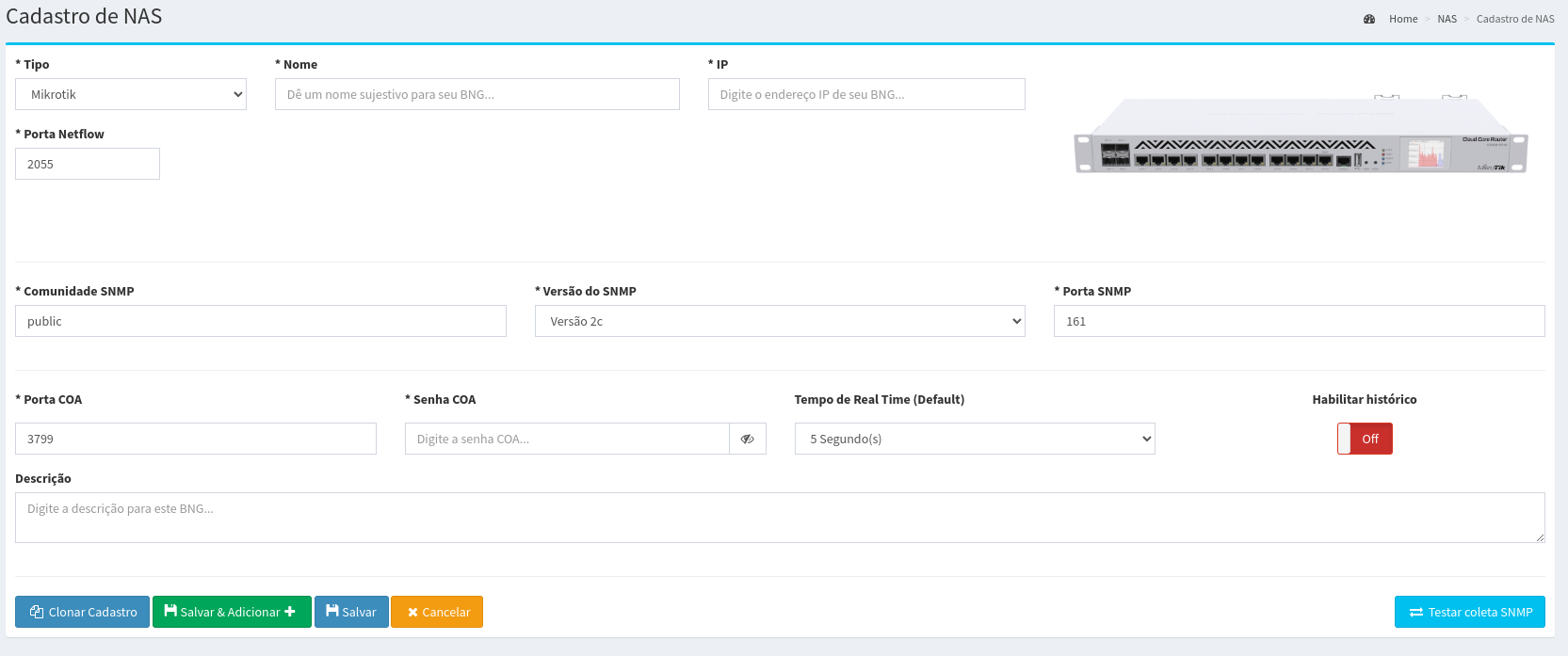
Made4Graph currently supports receiving data from the following NAS
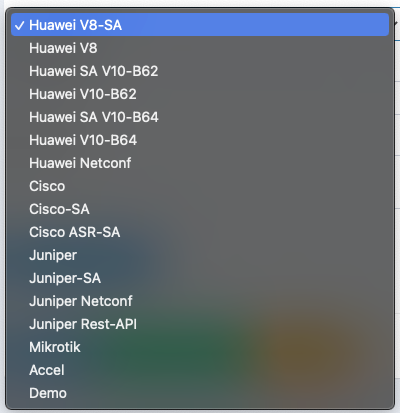
Within the registration screen there will be fields to be filled in according to your equipment.
They being:
- Name: Name of your equipment.
- IP: IP of your equipment.
- NetFlow portal: Netflow port used on your equipment.
- SNMP community: Your device's SNMP community.
- SNMP version: SNMP version of your device.
- SNMP port: SNMP port used on your equipment.
- Type: Where the equipment model to be registered is selected.
- COA port: Communication port between your equipment and the Made4Graph server, the standard being 3799.
- COA password: Communication secret between the Made4Graph server and equipment.
- User SA: The ssh user with read permission on the NAS
- SA password: The password created for the SA USER, allowing them to access the NAS.
- SA port: SSH port on which the SA user will communicate with the NAS.
During the addition of a new NAS, you will be asked through a button if you want to save customer consumption history,
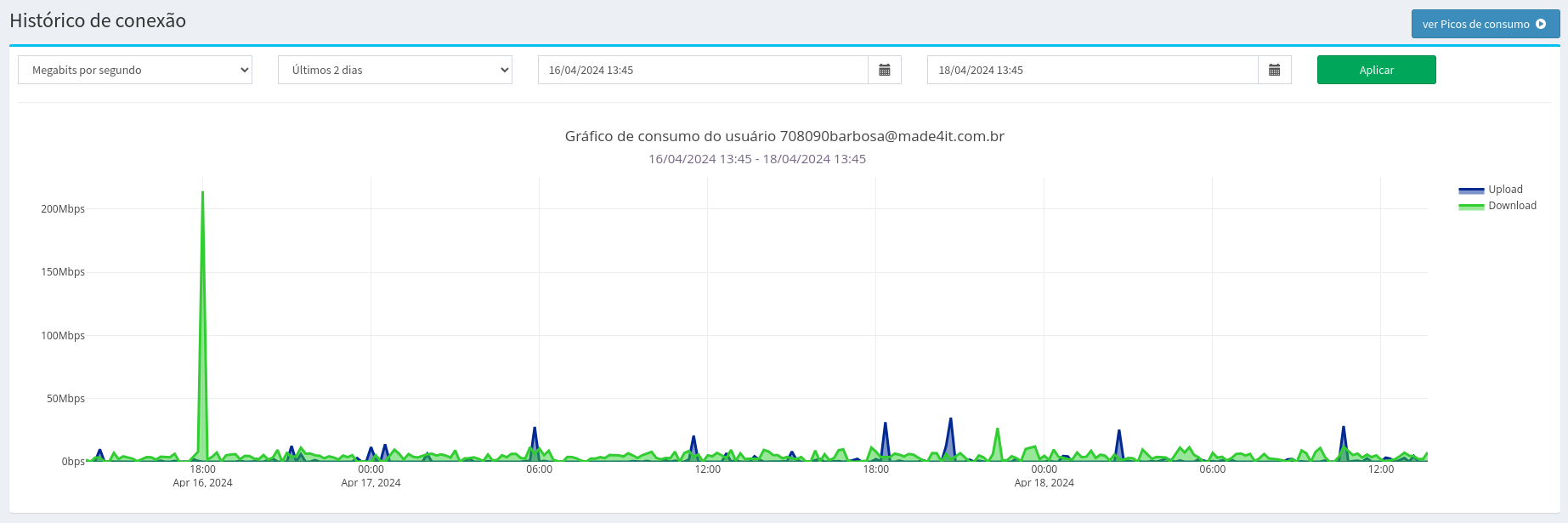
This history allows you to save the consumption of each customer, and to follow up later
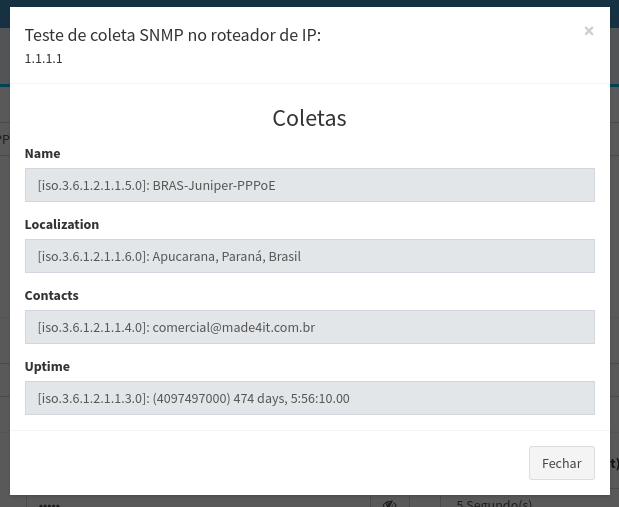
After filling in all the fields by clicking on the Test SNMP option, you can validate that Made4Graph was able to collect information from the equipment to be registered. After that, just click Save and your equipment will be registered.