{.is-danger}
This configuration is not NAT logging, only port overflow logging, one configuration does not override the other.
¶ CGNAT Port Overflow
Here you will find information regarding the CGNAT Port Overflow Events
¶ What is CGNAT port exhaustion?
When a device on the internal network of an internet service provider with CGNAT needs to establish a connection with the external internet, a port mapping is created on the CGNAT router. This mapping associates a specific port on the shared public ip address to the private ip address and port of the internal device. This allows internet response traffic to reach the correct device on the internal network.
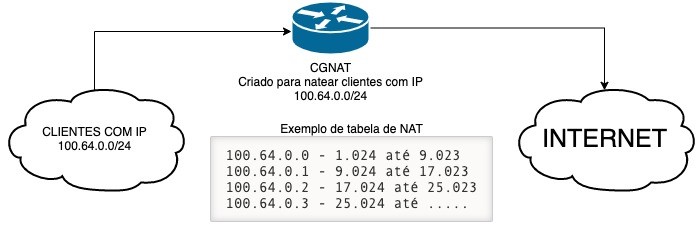
¶ What is the Impact of this?
The issue arises when many internal devices try to connect to external servers using the same port. Since the number of available ports is limited (there are 65,535 TCP and UDP ports), port conflicts may occur. If multiple internal connections use the same port, the CGNAT router may not be able to map all of them correctly.
When this happens, we say that a "port overflow" occurred in CGNAT. This can result in connectivity issues, where some devices may not be able to communicate with external servers or experience slow and unstable connections.
¶ Resource Objectives
- Receive logs from A10 and Juniper SRX performing CGNAT.
- Filter by a specific log type (NAT port unavailable) and on the SRX by (RT_SCREEN_SESSION_LIMIT)
- Summarize the logs by user/ip at the moment
¶ How to use the feature in made4graph
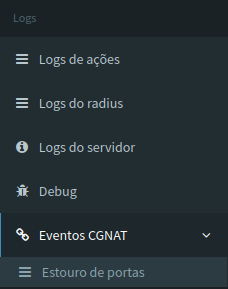
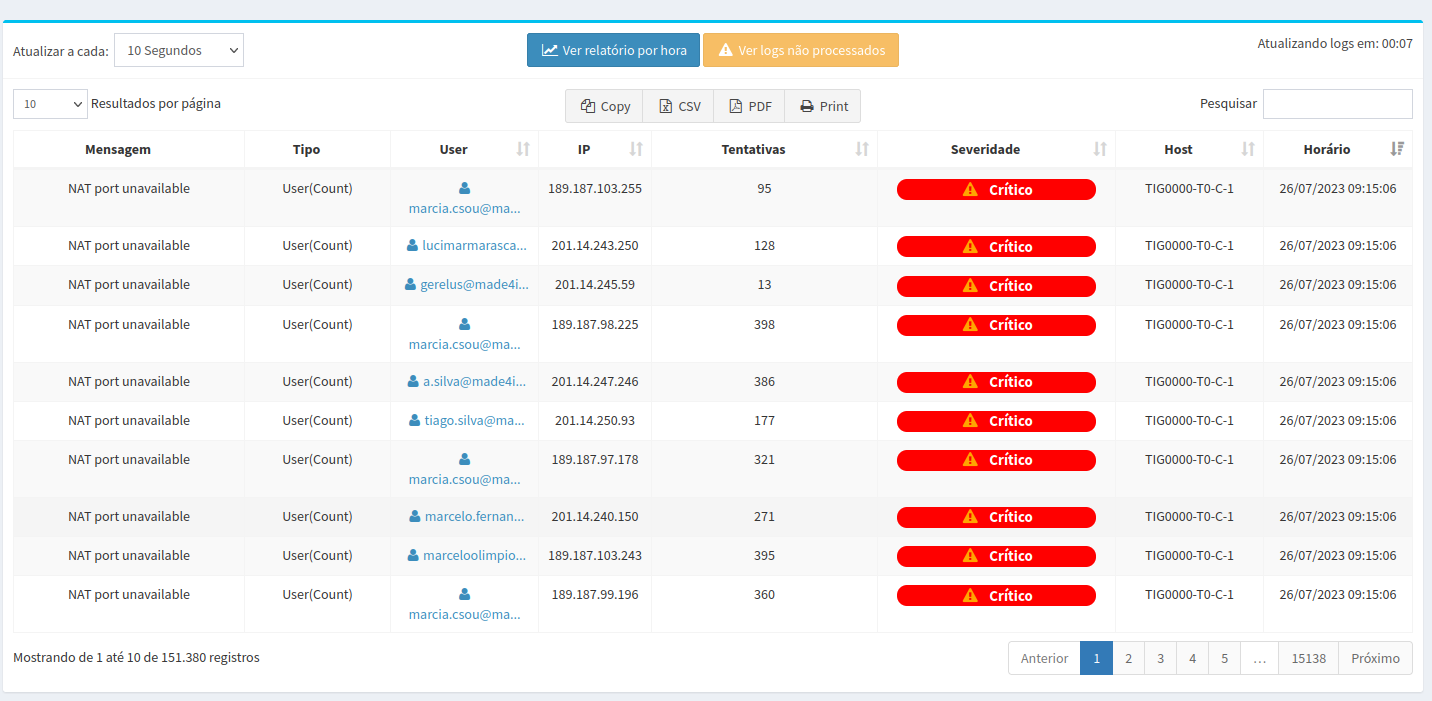
Accessing the side menu of made4graph in the logs tab, we have the CGNAT Events, within it there is the page of reports of Exceeded Ports, showing the user with the most logs and all the necessary information documented.
¶ Table with customer data regarding the number of blown fuses
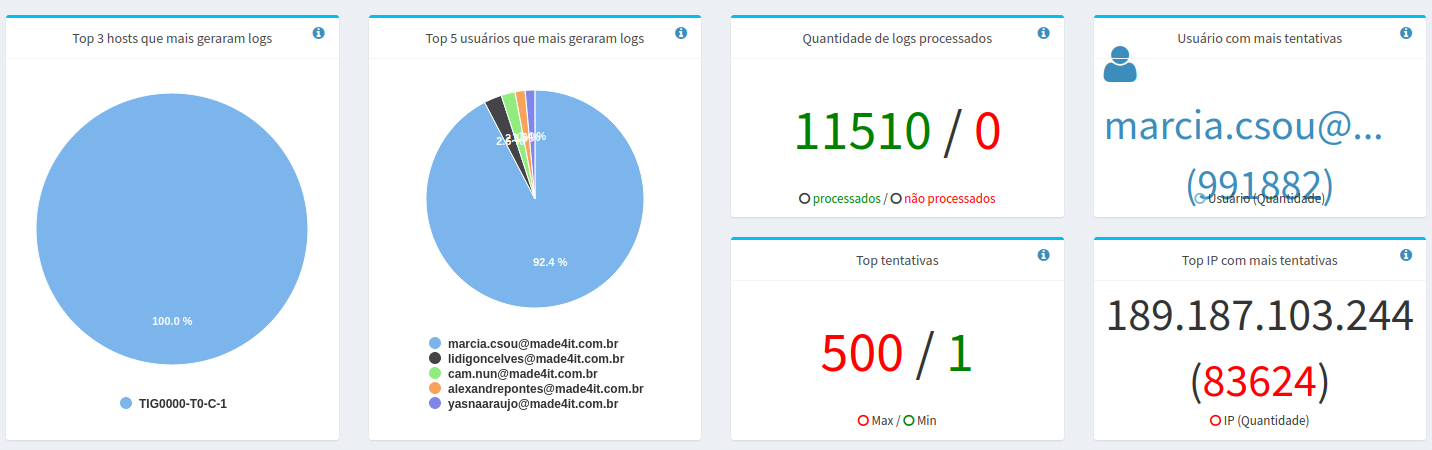
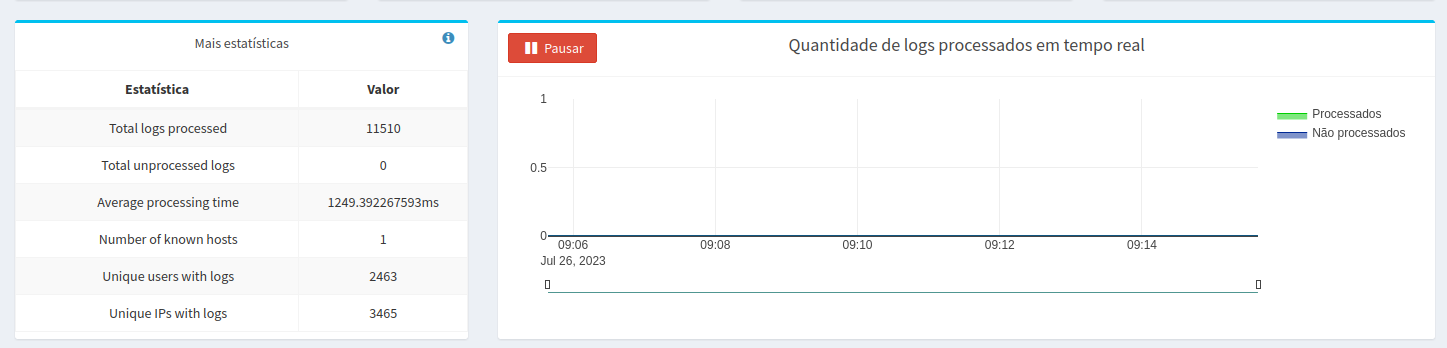
¶ Statistics of the quantity of processed logs and the ones that generated more logs
¶ Commands to run on your A10
To send A10 logs to the made4graph, execute the following commands on your A10:
Replace in X.X.X.X, by the ip of your made4graph
logging syslog critical
logging host X.X.X.X
¶ Example of Juniper SRX configuration
To send SRX logs to the made4graph, the configuration should be as follows:
Replace in X.X.X.X, by the ip of your made4graph
Replace in #IPSRX, by ip of your SRX
set security log facility-override local0
set security log stream SCREEN format sd-syslog
set security log stream SCREEN category screen
set security log stream SCREEN host x.x.x.x
set security log stream SCREEN host port 514
set security log stream SCREEN source-address #IPSRX
¶ Resource Impacts
The main purpose of this feature is to check and show the user the clients with the highest number of blown ports, in order to alert about possible issues. The analysis aims to filter out clients who are trying to use more ports than allocated to them in the CGNAT, with the main goal of, for example, identifying clients with viruses.