¶ Dashboard TR069
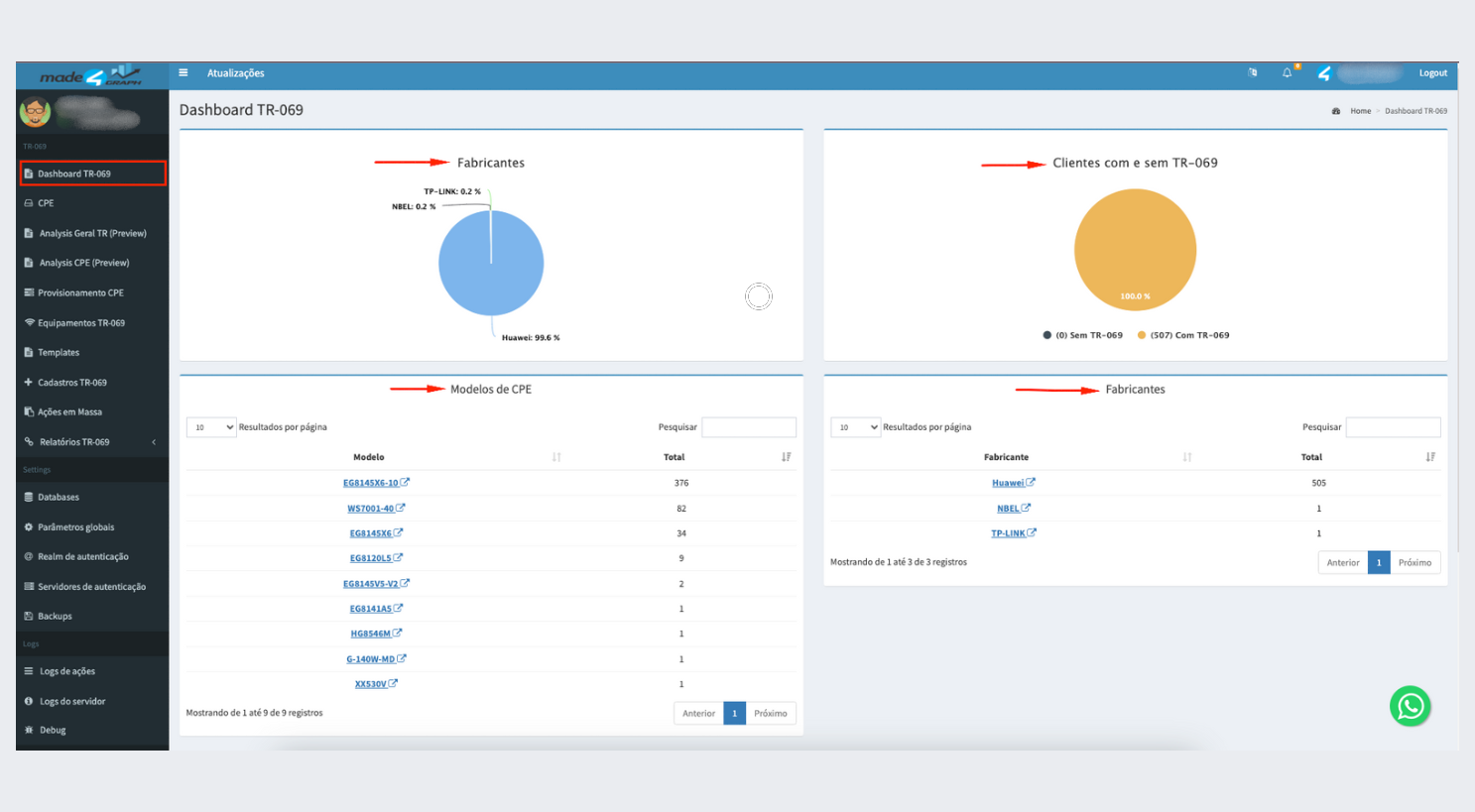
¶ **On the TR069 Dashboard, we can view the following information: **
- Approved Manufacturers Chart: Displays the approved manufacturers in the Graph.
- Customer Chart with TR069 on the Equipment: Shows the number of customers whose equipment is configured with TR069.
- List of Equipment Models: Presents the different equipment models that are being used.
- List of Manufacturers: Displays the equipment manufacturers registered in the system.
¶ Manufacturer Graphic
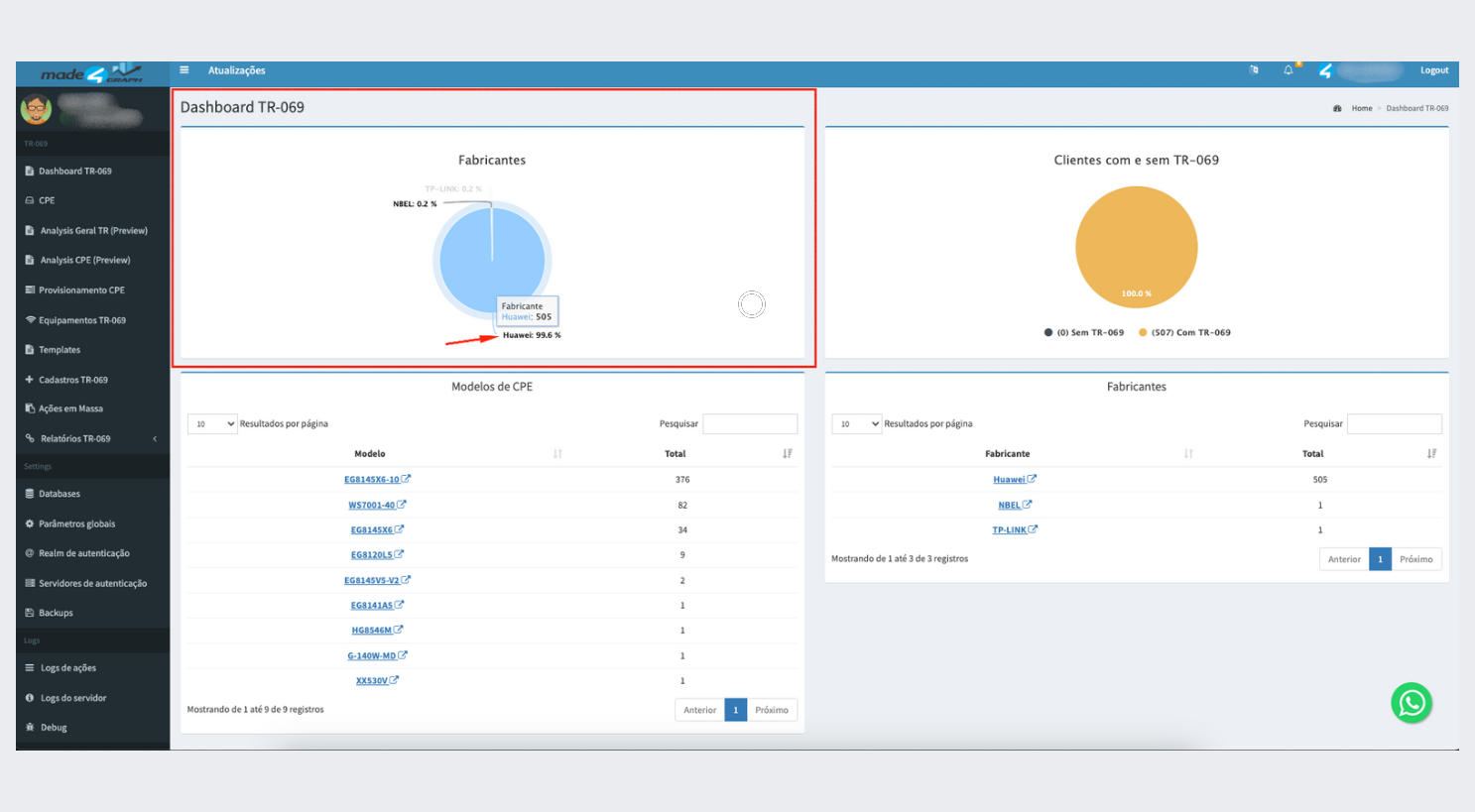
In the manufacturer chart, when you hover the mouse over the dots on the graph, the amount of equipment from each manufacturer will be displayed.
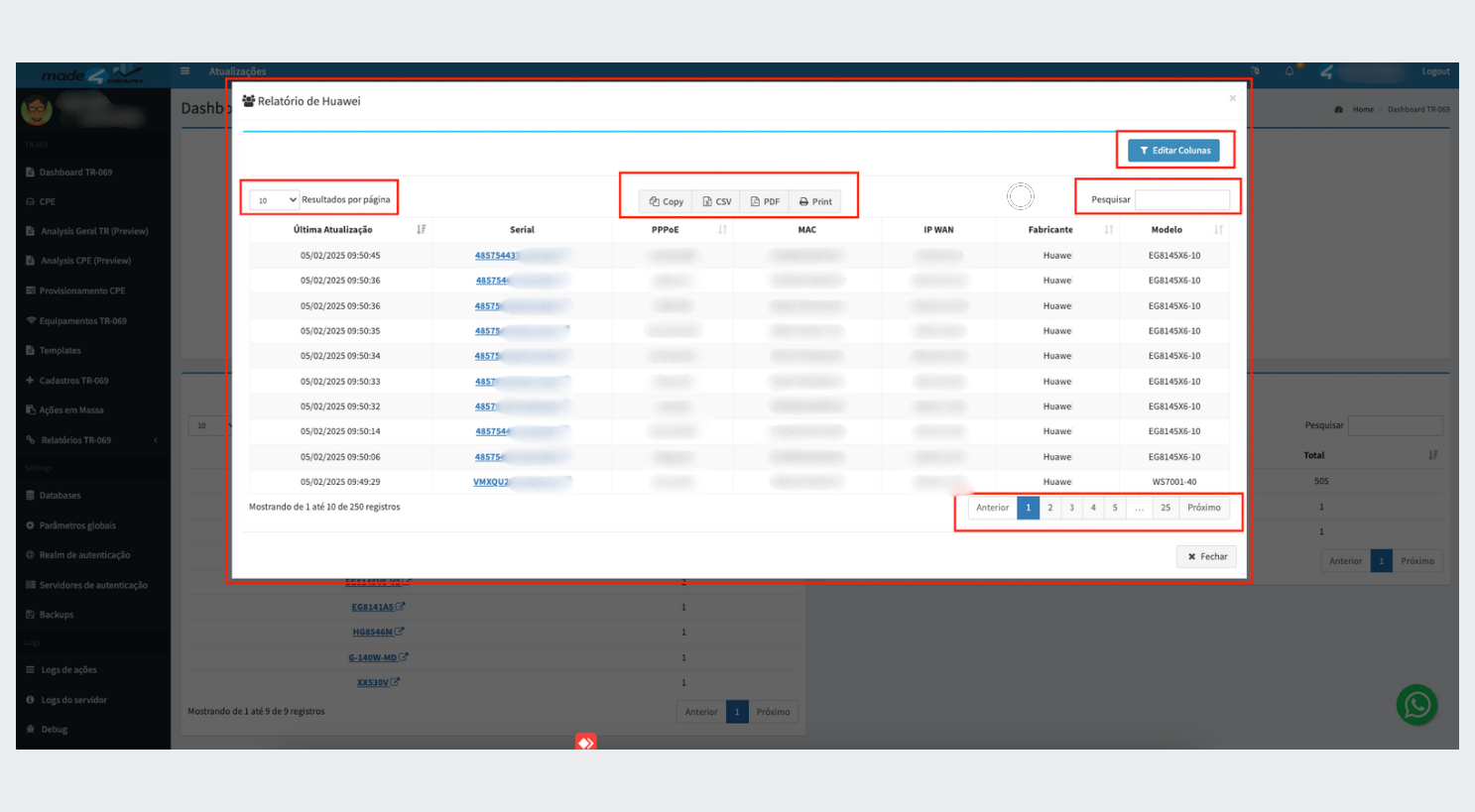
When clicking on one of the equipment models, a modal will be displayed, offering a detailed view of the distribution of the devices by manufacturer. Within this modal, it will be possible to:
- Export the data: Generate a PDF or CSV file containing all the detailed information.
- Advanced Search: Perform specific searches for equipment, using criteria such as: serial number, PPPoE, MAC address, IP WAN, manufacturer or model.
¶ CPE model
- In this section, all equipment models by manufacturer registered in your Graph will be listed. You can view the number of devices by model and consult each of the registered models.
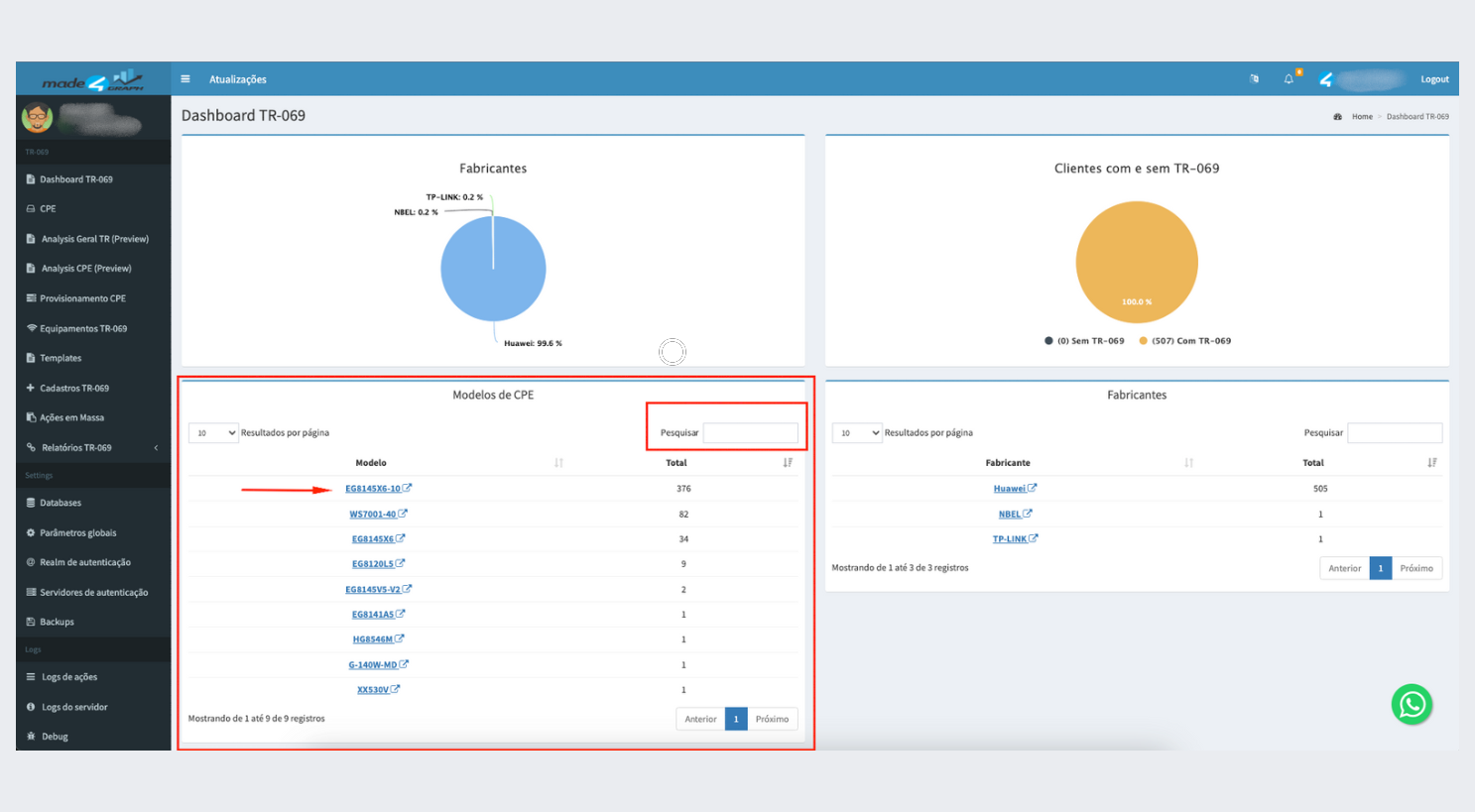
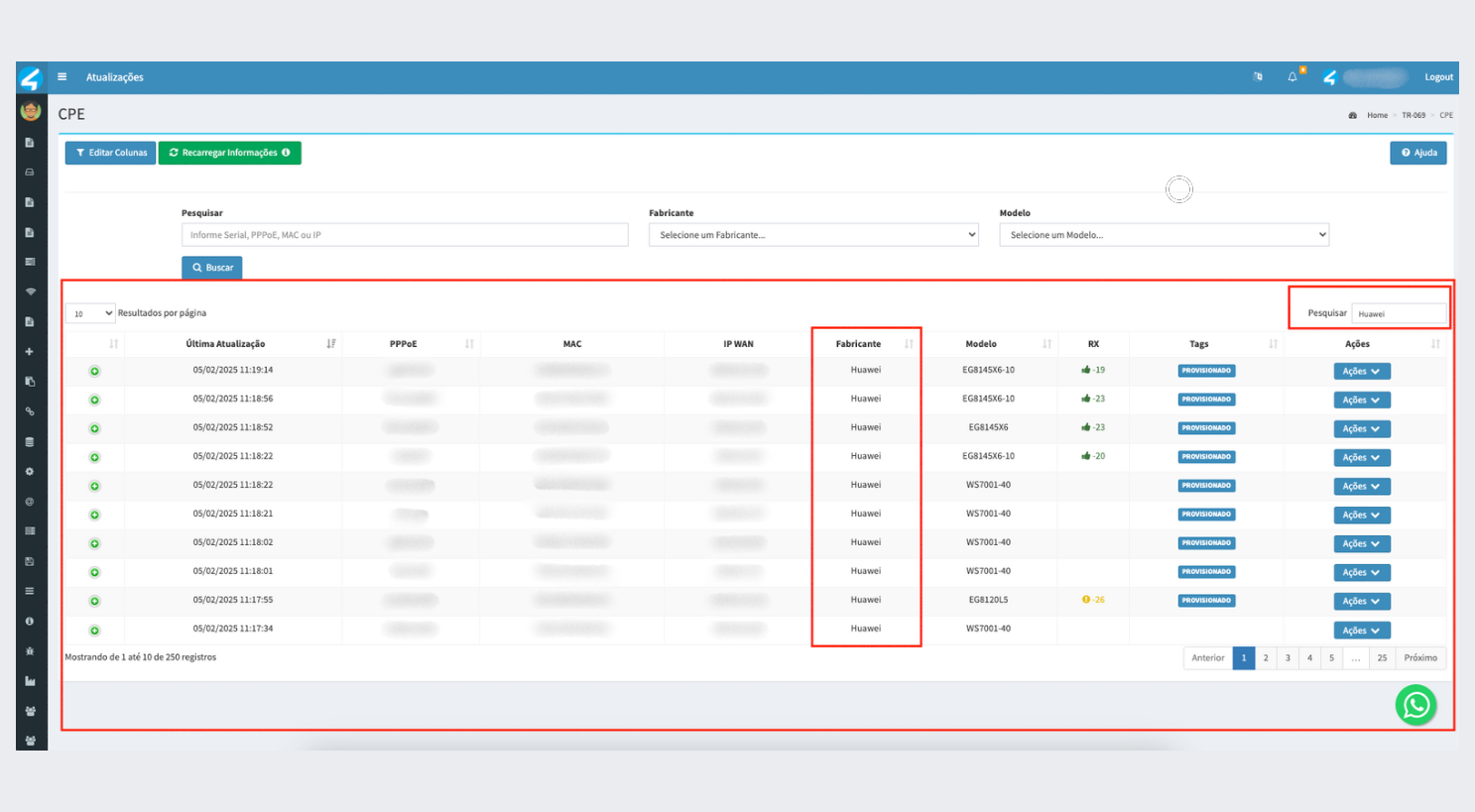
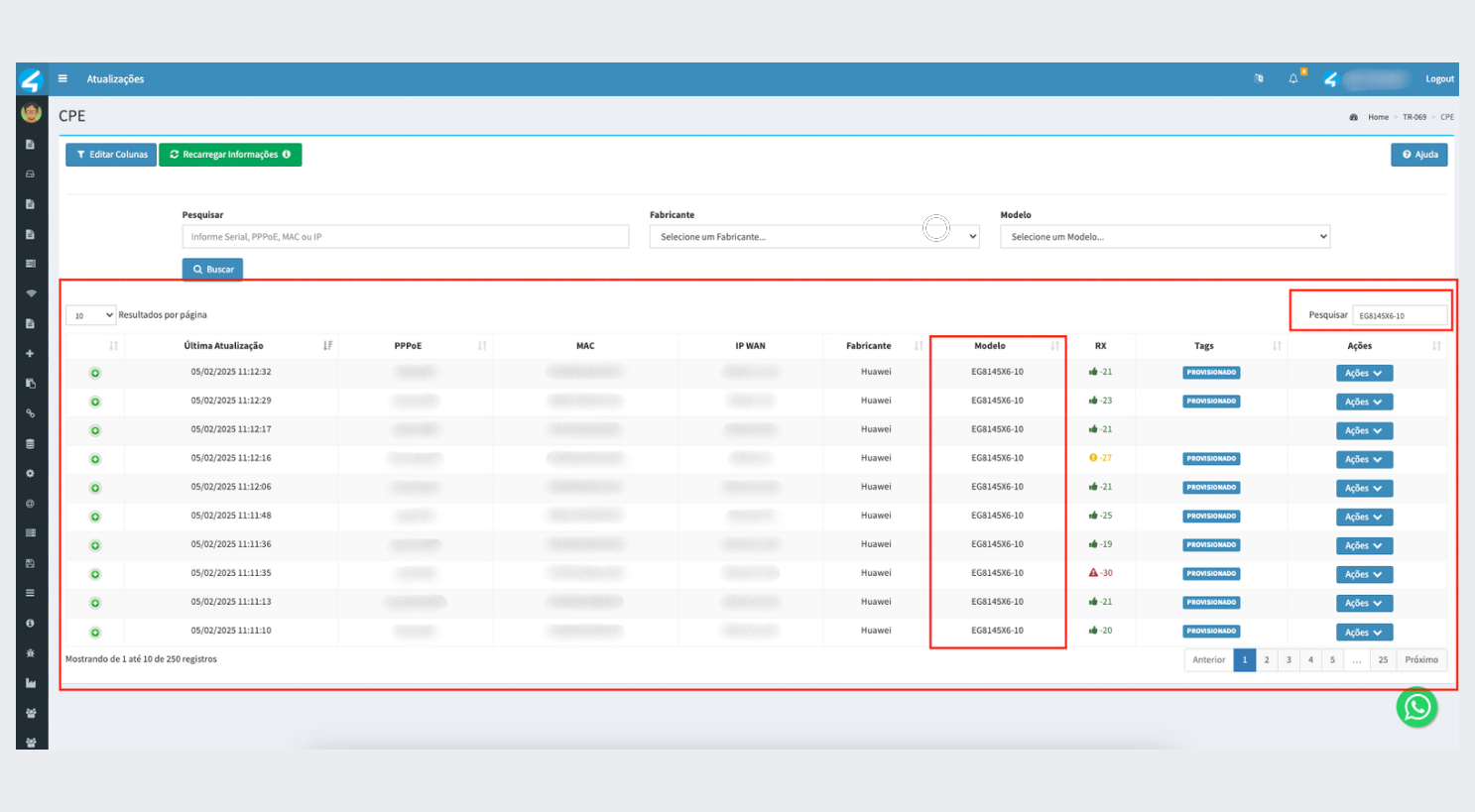
- By clicking on one of the equipment models, you will be redirected to the CPE dashboard. In it, all the devices of the model selected on the previous page will be listed. On the CPE dashboard, it will be possible to manage and view all the main information for each device.
¶ Manufacturers
- In this section, all the manufacturers registered in your Graph will be listed. You can view the number of devices by manufacturer and consult each of the registered manufacturers.
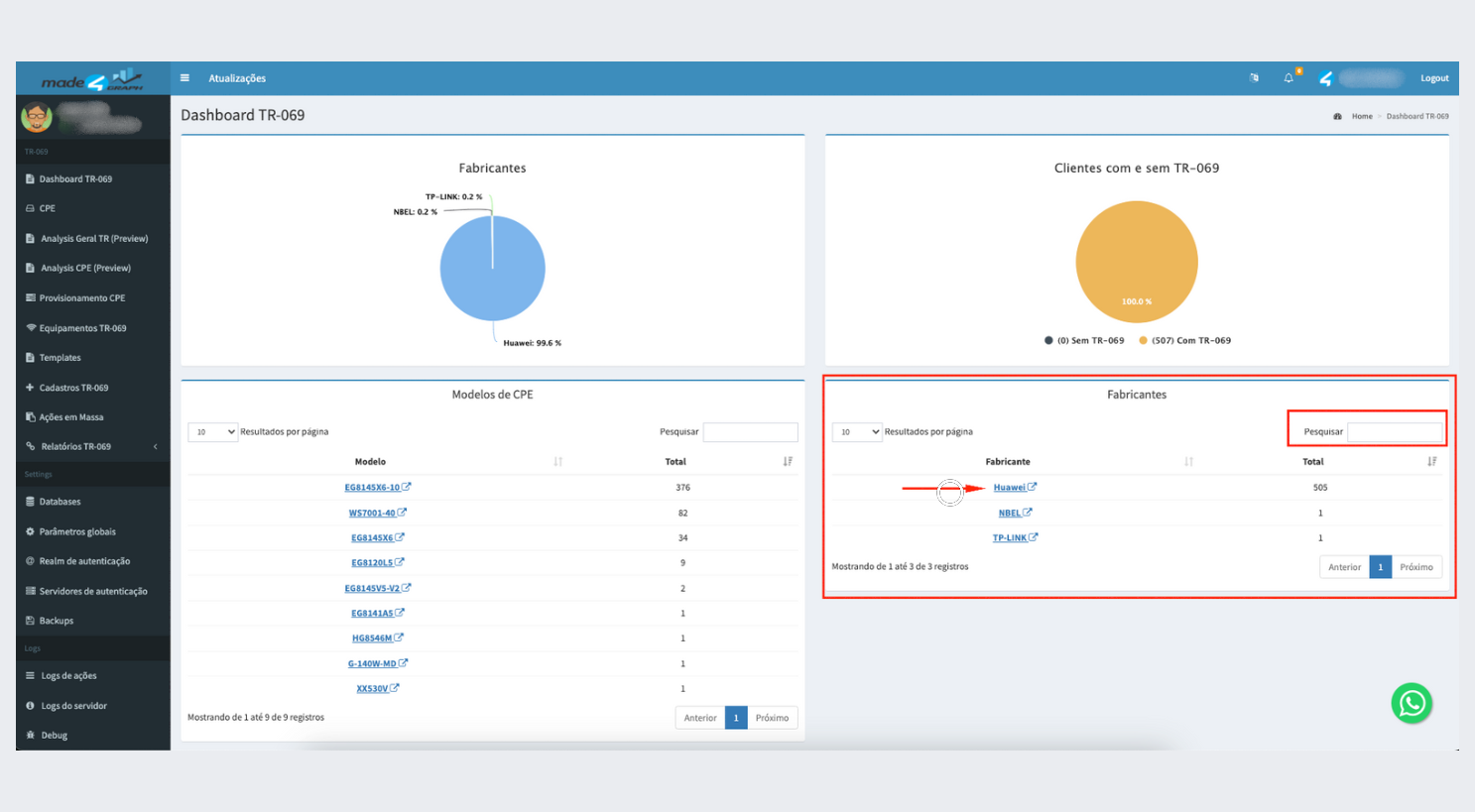
- By clicking on one of the manufacturers, you will be redirected to the CPE dashboard. In it, all the devices of the model of the manufacturer selected on the previous page will be listed. On the CPE dashboard, it will be possible to manage and view all the main information for each device.