¶ VoIP User Manual
This manual is intended to assist in the creation and configuration of VoIP in client CPEs through Made4tr069.
Information
For the VoIP functionality to be available, it will be necessary to use multiple WANs enabled in the tool. To enable it, access the tab Global Parameters And on the tab TR-069, enable the option Enable multiple WANs.
When doing this procedure, it may be necessary to re-approve your equipment on the tool.
Attention!
For each CPE model used in your network, the approval of the VoIP parameters will be required for the full operation of the function.
Compatibility
Each CPE model may or may not have certain configurations available via TR069. As a result, we cannot guarantee the full functioning of all functions on all models.
¶ In a scenario where it is necessary to create/edit the WAN with VoIP service
- Through the customer dashboard or the CPEs tab:
-
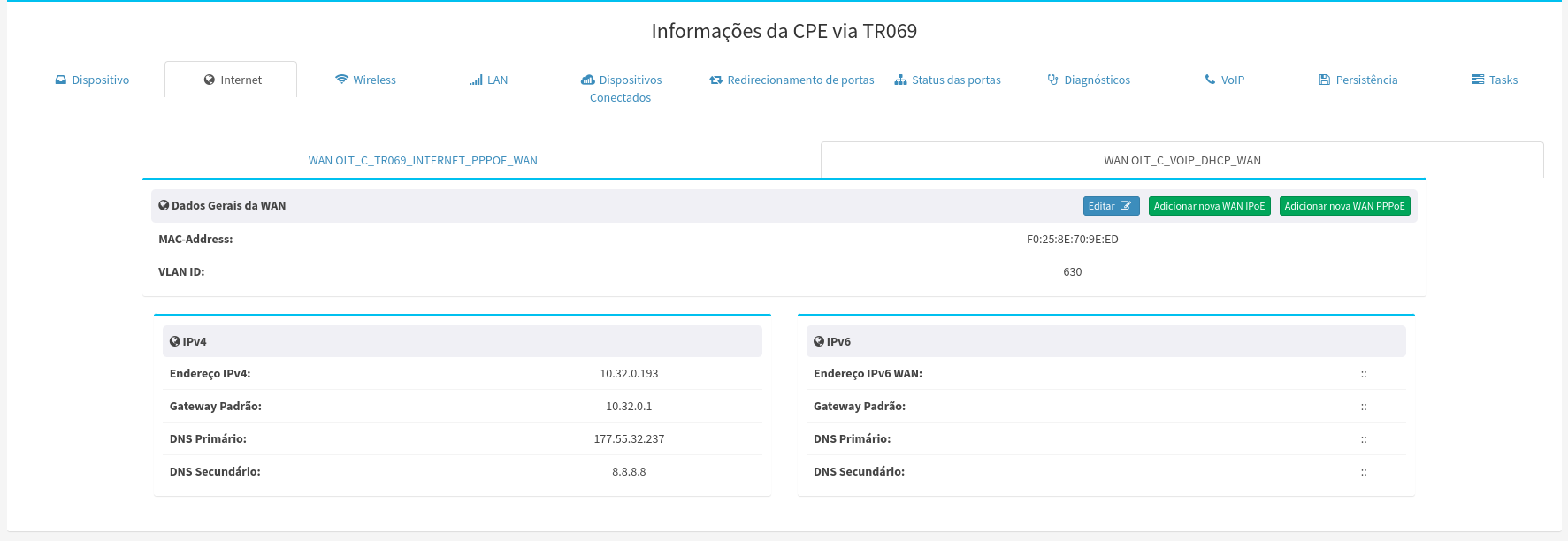
In the Internet tab, we have the “Edit”, “Add new IPoE WAN” and “Add new PPPoE WAN” buttons.
- If it is necessary to enable a new WAN, use the button “Add new WAN xxxxx”.

- If it is necessary to enable a new WAN, use the button “Add new WAN xxxxx”.
-
Once the WAN is created, let's edit it:
- Select the WAN that will be used for VoIP and click edit:
- Under edit, select the type of service that the interface will be responsible for in the field “List of Services”:
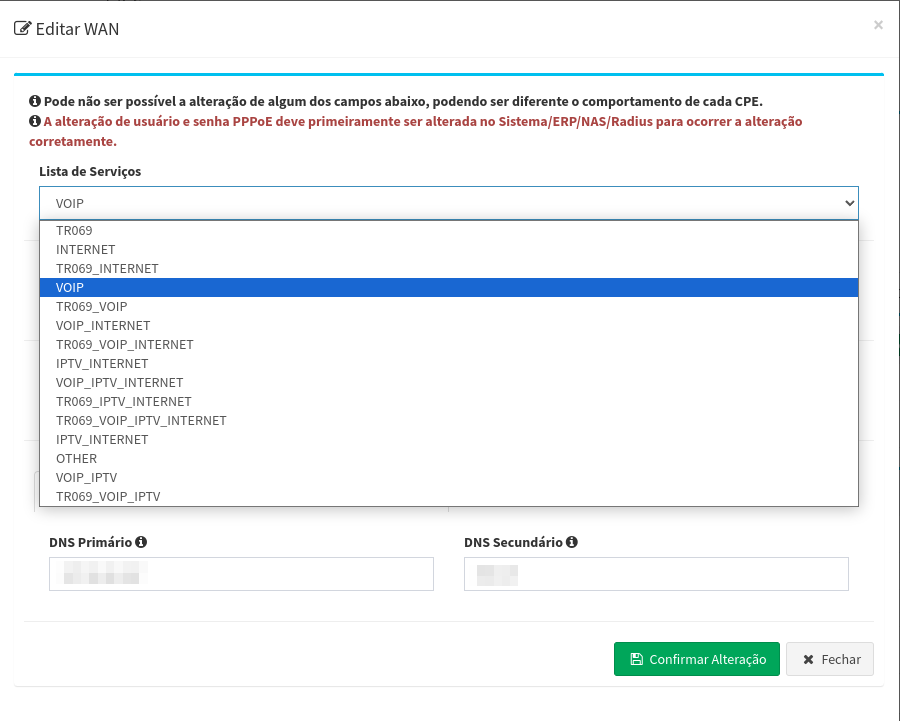
- Then fill in the data as needed, such as VLAN, DNS, or PPPoE.
- Select the WAN that will be used for VoIP and click edit:
-
¶ Configuring the Lines
- On the tab “VoIP”, access the tab “VoIP lines”:
- To add a new line, click the button and confirm the action, wait for the action to be finalized at the CPE.
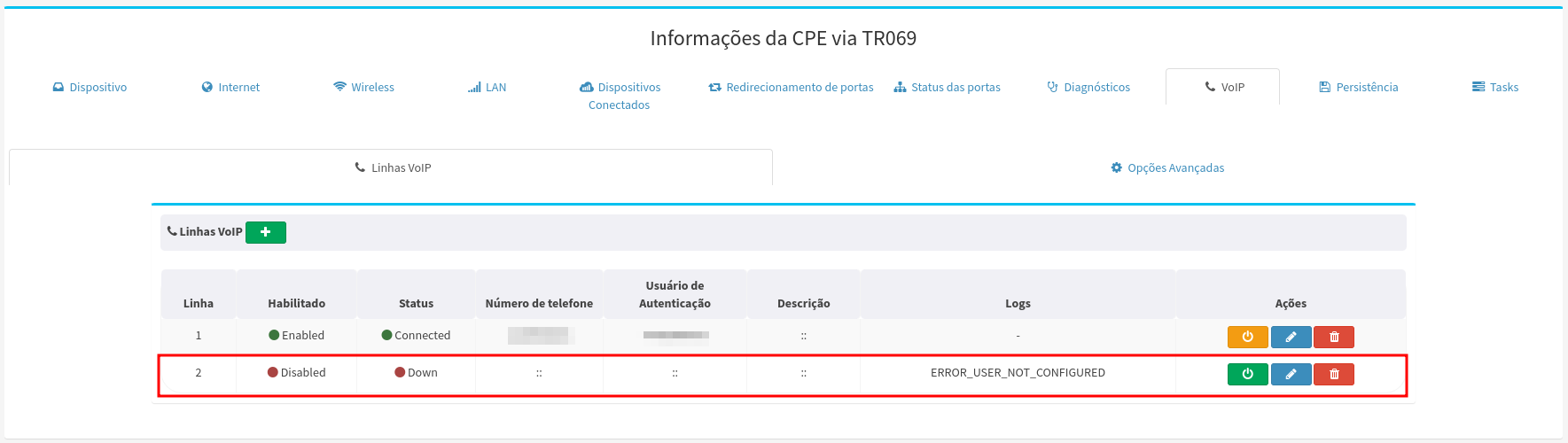
- Once finished, click on the icon and fill in the necessary data and confirm:
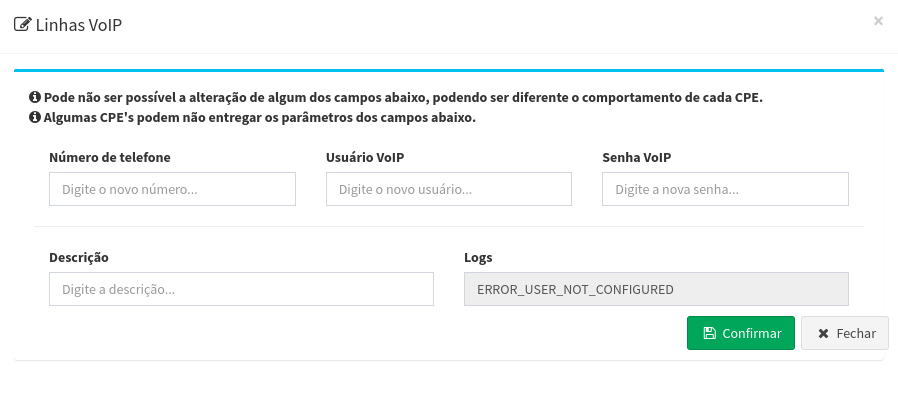
- Then click on the icon and confirm to enable the line.
- To add a new line, click the button and confirm the action, wait for the action to be finalized at the CPE.
¶ Advanced settings
- On the tab “VoIP”, access the tab “Advanced options”:
- Fill in the necessary data to connect to the VoIP server, such as Country, DSCP SIP/RTP, the VLAN to be used, RTP Payload, SIP server URL, SIP server port, and Connection Protocol (Default: UDP) and click save.
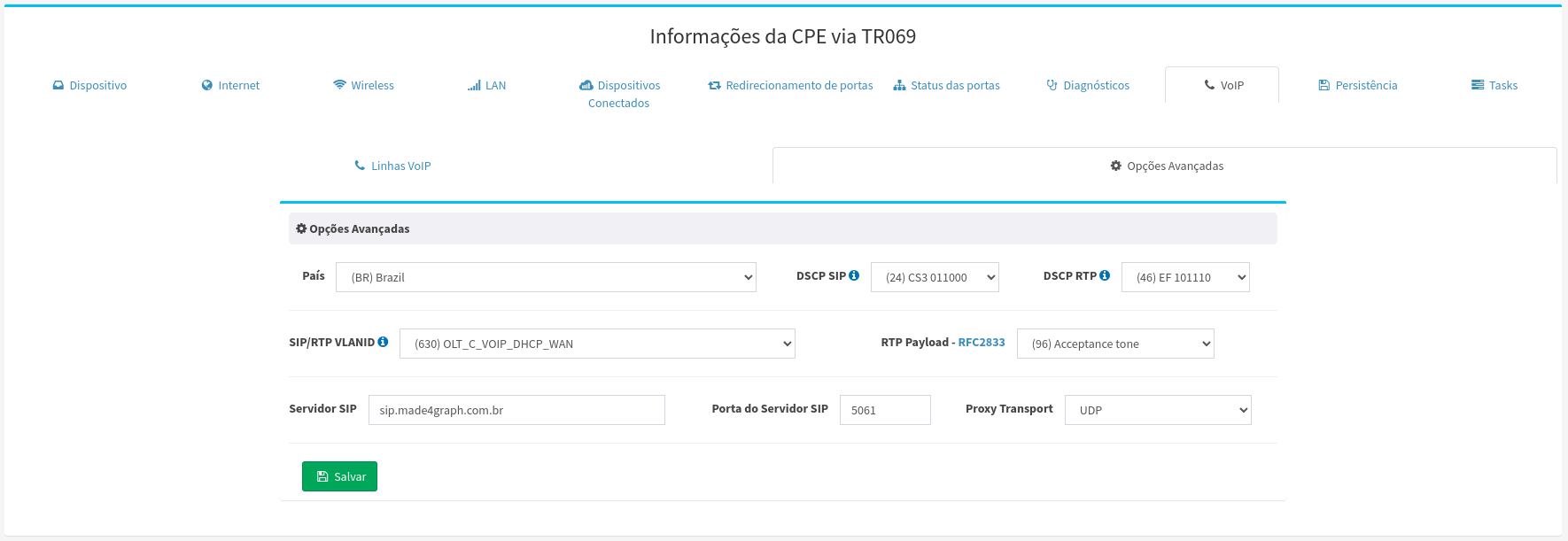
- Fill in the necessary data to connect to the VoIP server, such as Country, DSCP SIP/RTP, the VLAN to be used, RTP Payload, SIP server URL, SIP server port, and Connection Protocol (Default: UDP) and click save.
Ready!
Now your CPE is configured and ready to use the VoIP service!