¶ How to register BGP Communities in Anti-DDoS
¶ Purpose of this Wiki
Show how to register BGP communities within the Anti-DDoS module of made4flow, so they can be used during manual route announcements or in automatic actions creation.
¶ Accessing the module
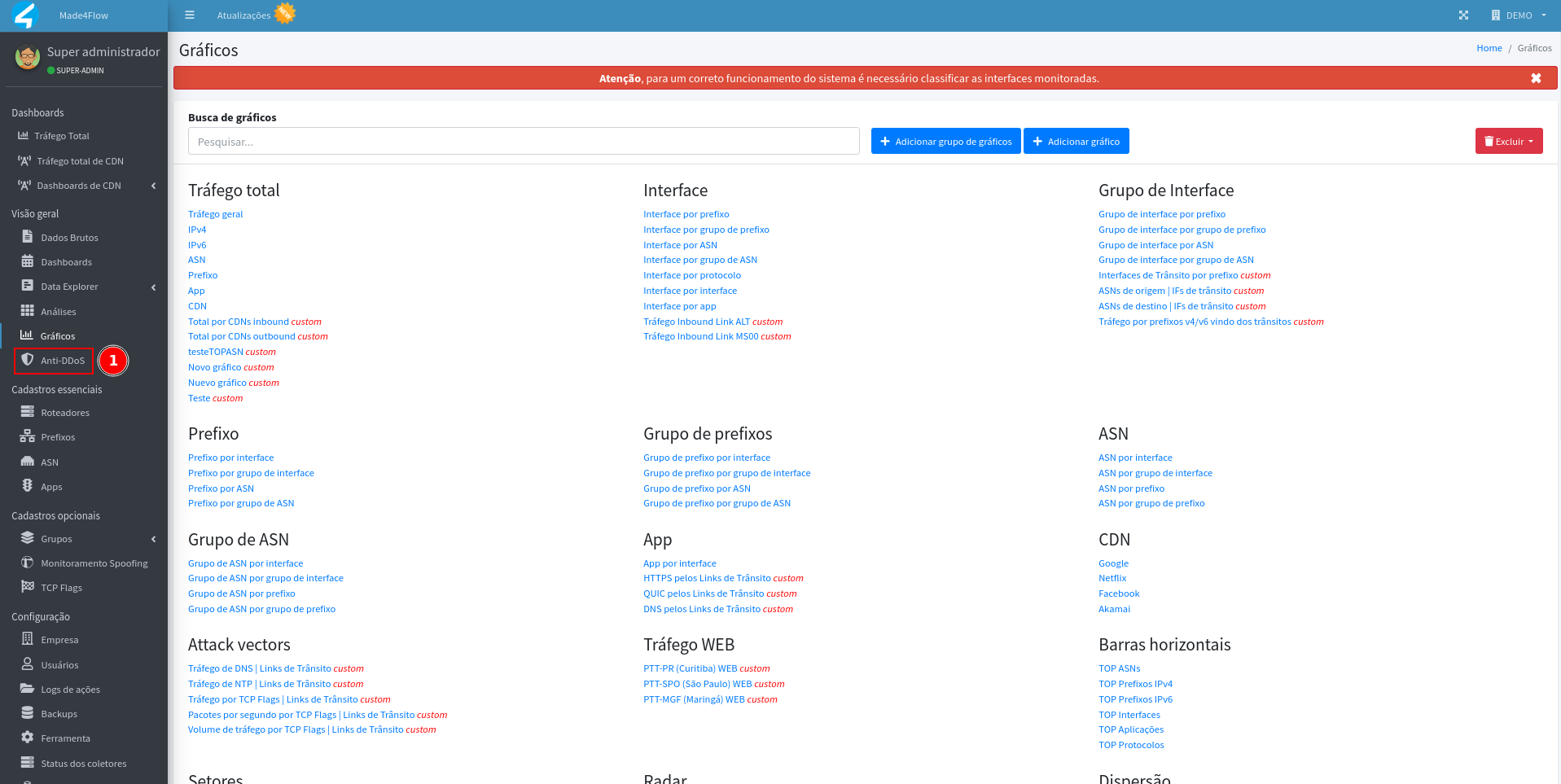
Through the left side menu of made4flow, access the Anti-DDoS module:
Then, click on the Communities tab, located in the left sidebar menu:
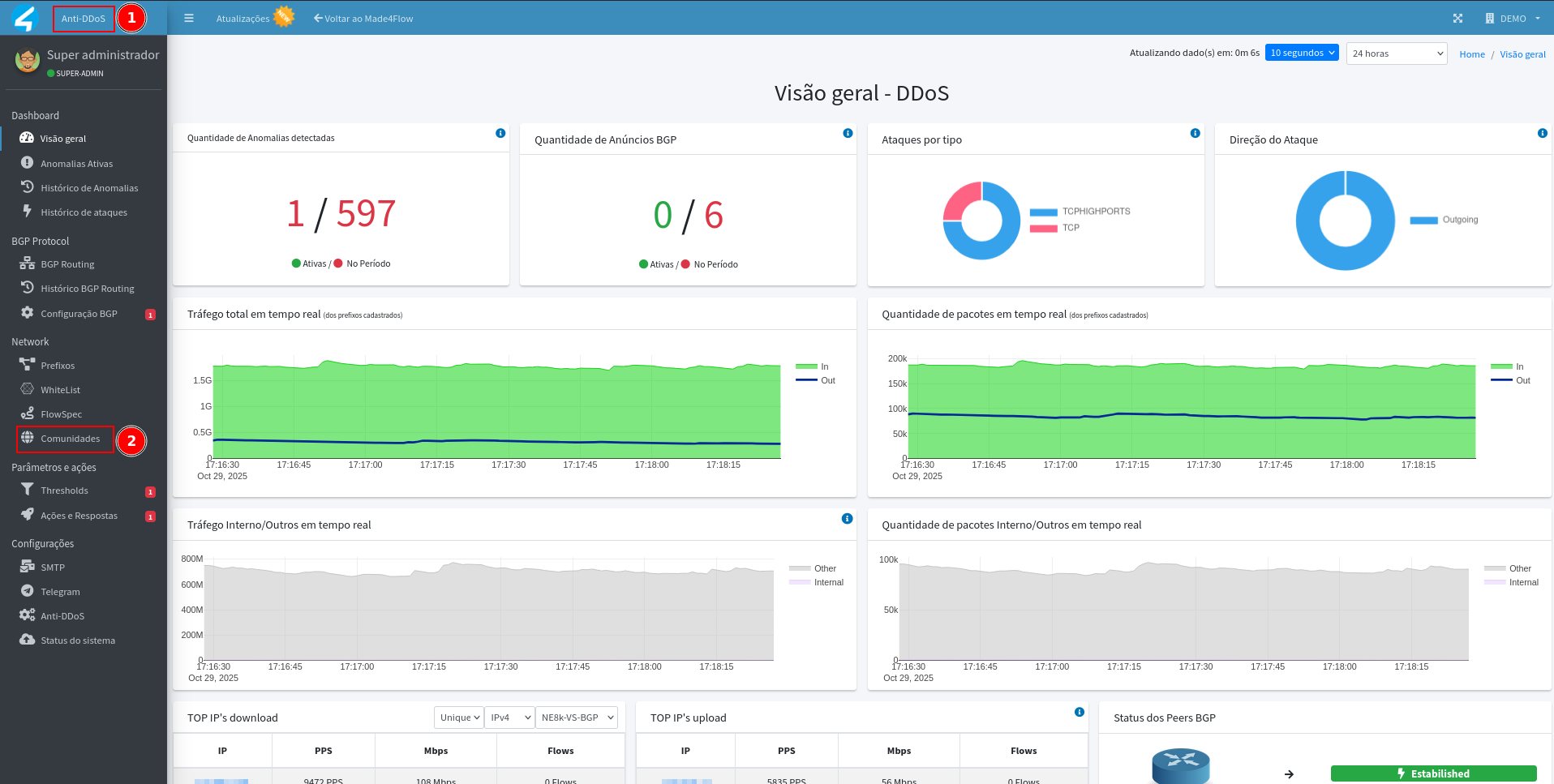
This is the section where you can view, create, and edit all the communities registered in Anti-DDoS.
¶ BGP Community Registration
In the Communities tab, click the Add Community button to create a new one:

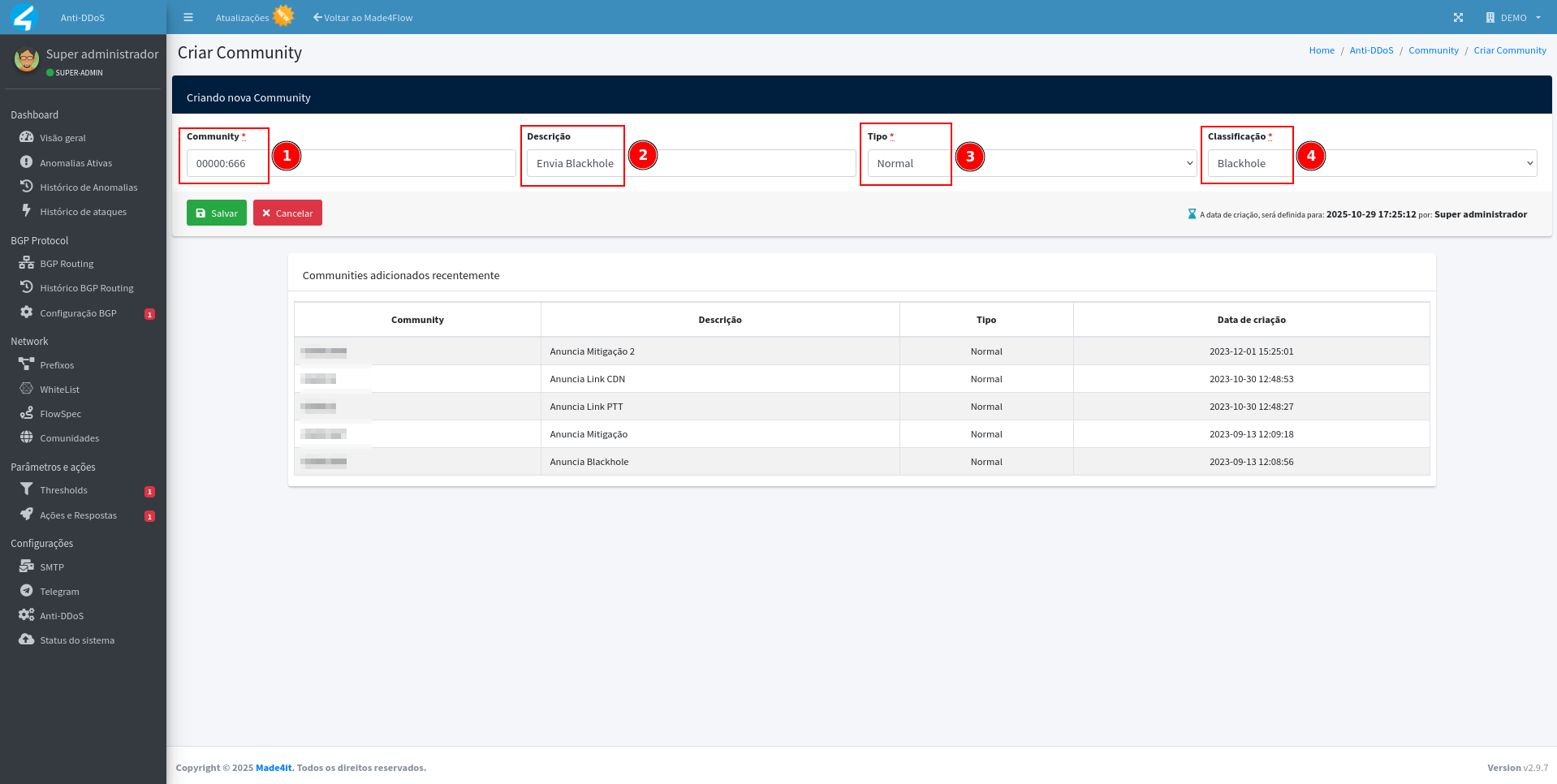
On the creation page, fill in the following fields and click on Save:
-
Community:
This is where you input the actual value of the community itself.
Example:00000:666,00000:667, etc. -
Description:
Optional field, but recommended.
Add a brief explanation to facilitate identification.
Example: Mitigation for client XXX or Blackhole CGNAT. -
Type:
Define whether the community is Normal or Extended.
Extended communities are used in cases of more advanced policies. -
Classification:
Indicate the type of action associated with the community.
It can be: -
Blackhole → Used to signal complete blocking of prefix traffic.
-
Mitigation → Used to redirect traffic to a mitigation instance.
-
Traffic manipulation → Used to change routing attributes, such as path preference.
¶ Where Communities are used
Registered communities can be used in two main situations:
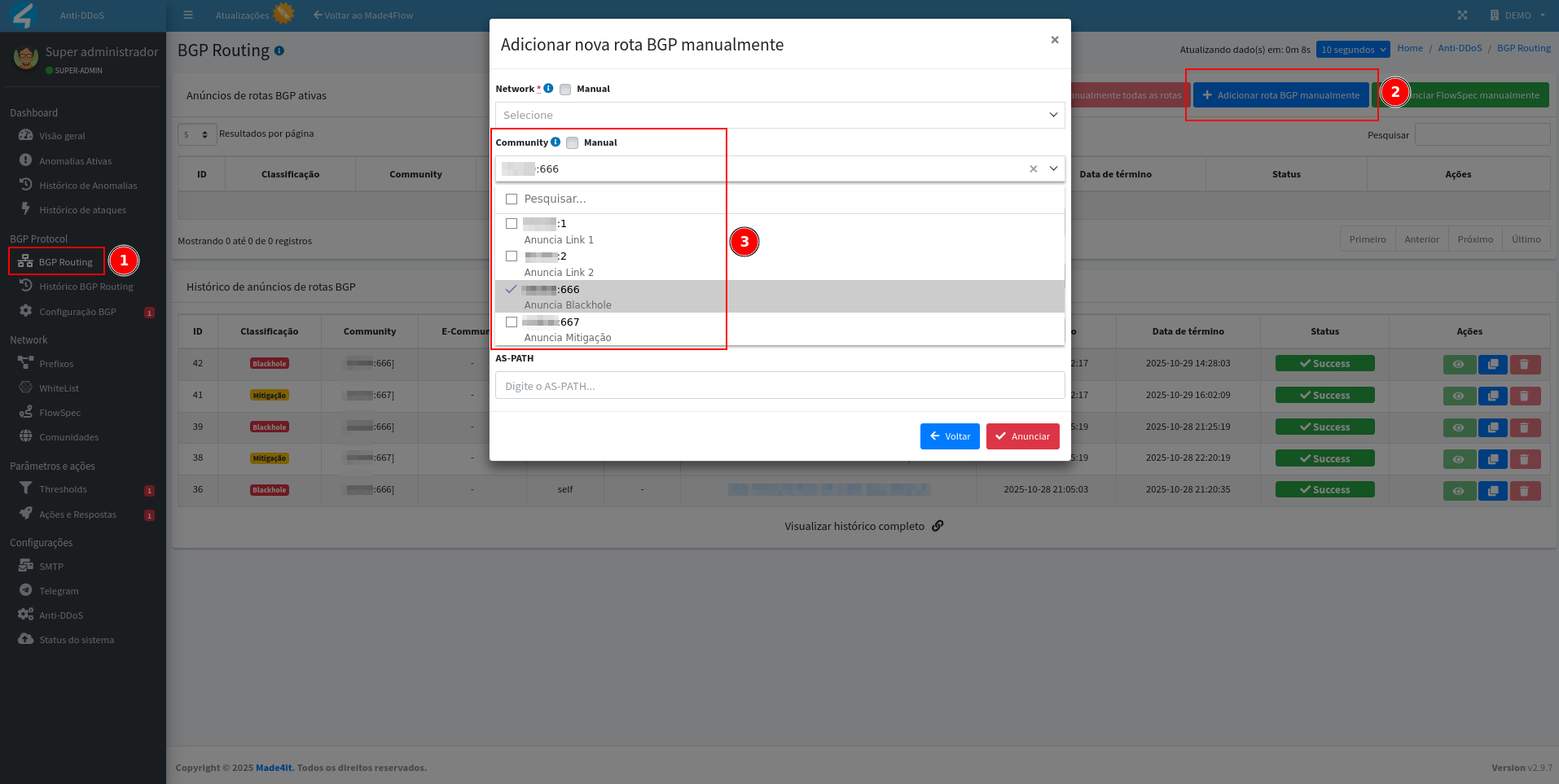
- During manual route announcement
When announcing a route manually through Anti-DDoS, you can select one of the registered communities to associate with the announcement (or add it manually if it is not already registered).
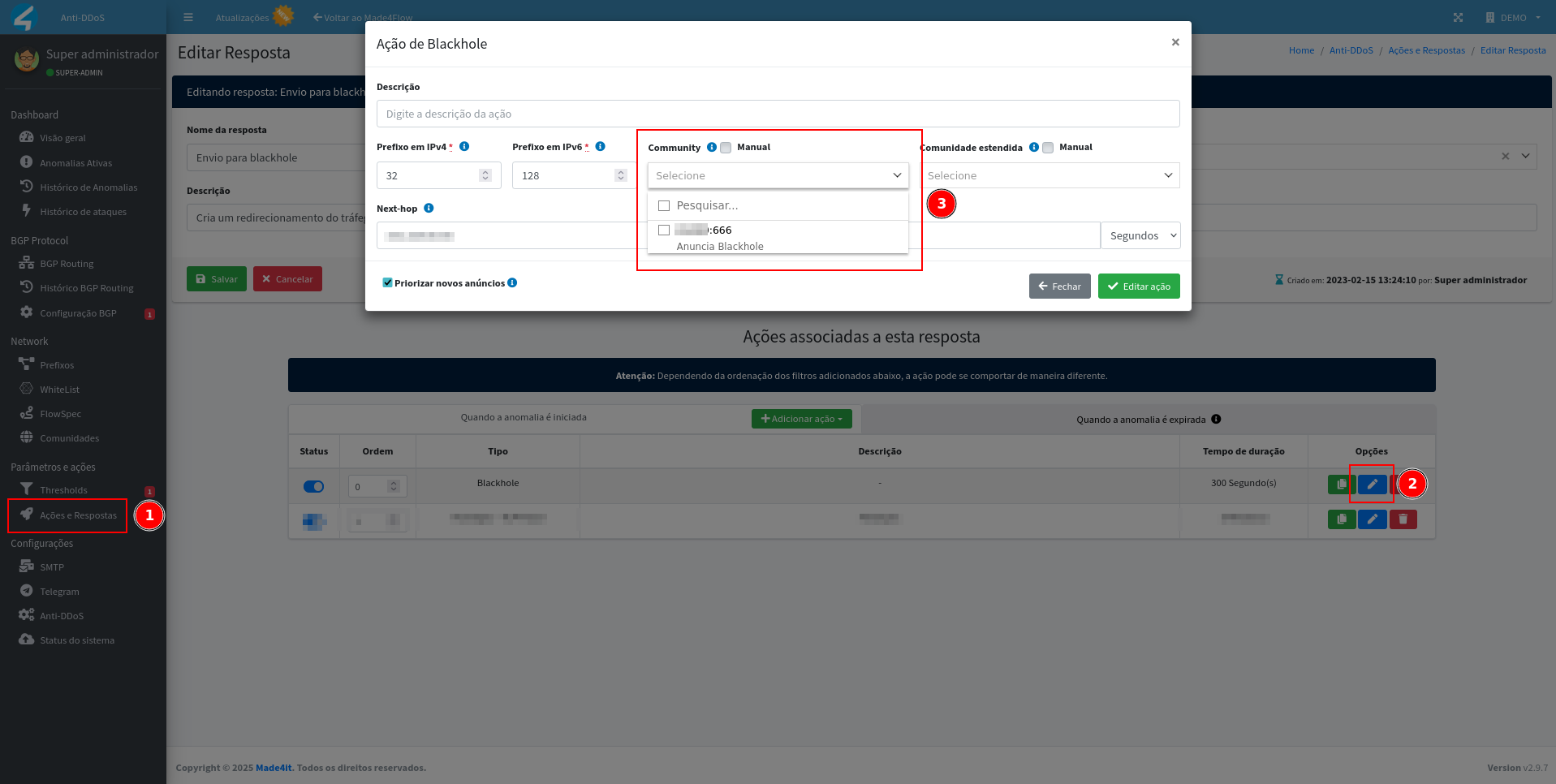
- During the creation of Automated Actions (Action and Response)
When setting up an action for automatic response, such as Mitigation or Blackhole, you can select the desired community, which will be applied automatically when the anomaly is detected.
¶ Final considerations
Proper registration of BGP communities is important to ensure that traffic mitigation and control actions work according to the network policy.
Maintaining a standardized nomenclature and clear descriptions facilitates understanding and maintenance of the environment, as well as reducing operational errors during attack situations.
Note: It is recommended to internally document all communities and their purposes, so that the network and security teams have full visibility into the behavior of BGP announcements generated by the Anti-DDoS.