¶ How to configure BGP session on Anti-DDoS
¶ Purpose of this Wiki
Demonstrate how to register and configure a BGP session in the Anti-DDoS module of made4flow, correctly defining the local and remote parameters of the session, the supported address families (IPv4/IPv6), and notification options, ensuring proper communication between the Anti-DDoS and edge routers.
¶ Accessing the module
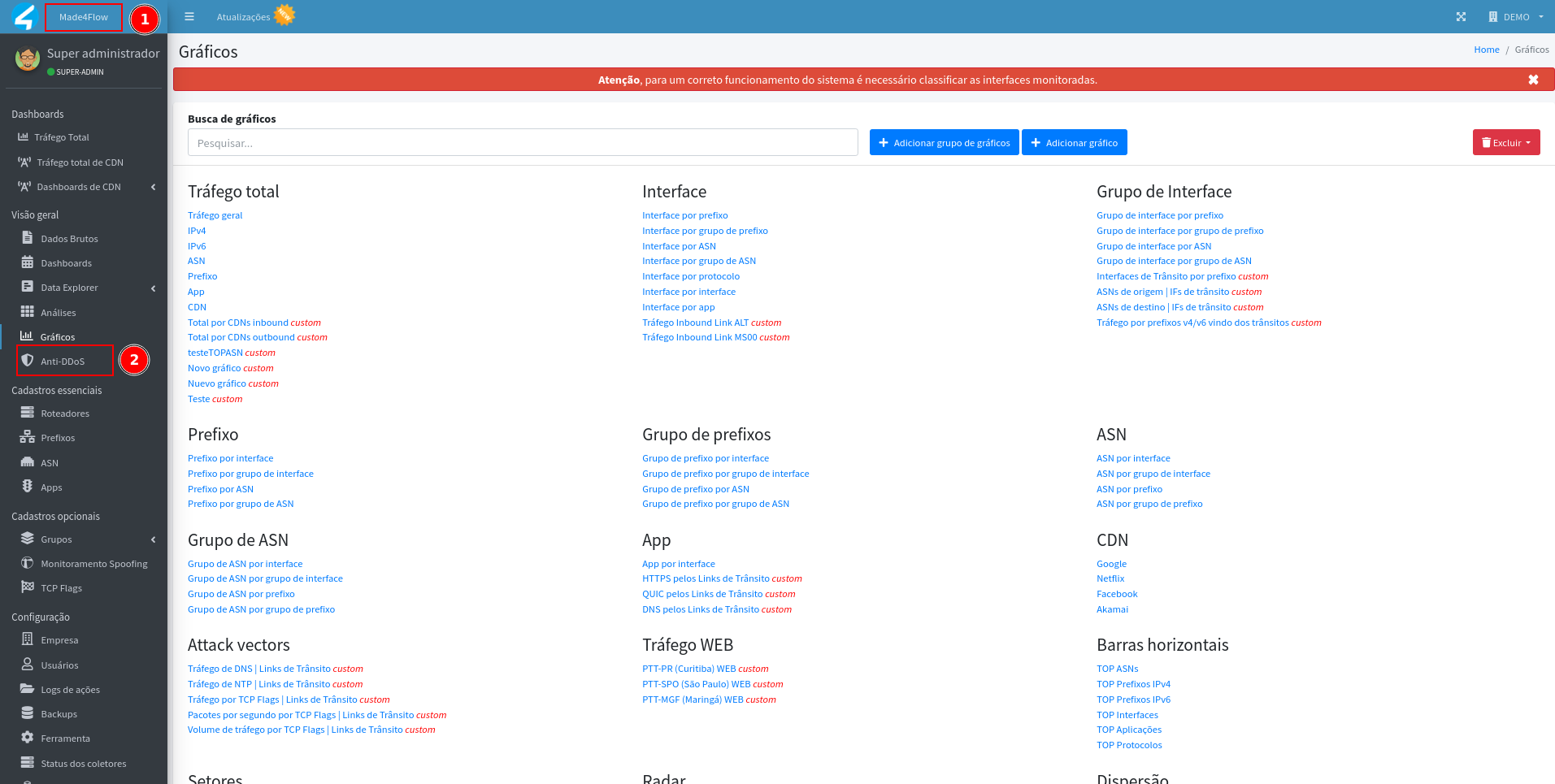
Through the left side menu of made4flow, access the Anti-DDoS module:
¶ BGP Local Configuration
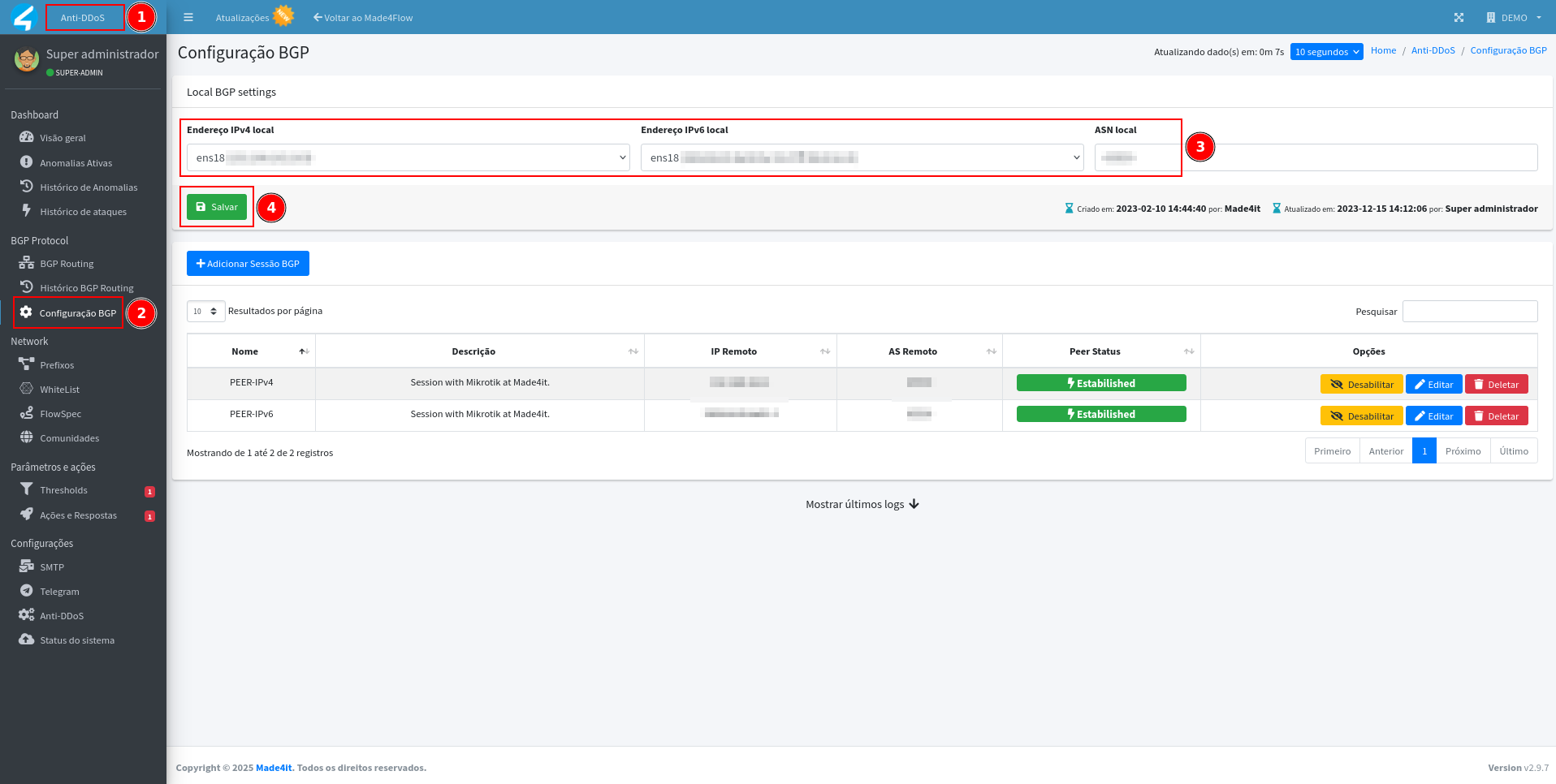
In the BGP Configuration tab, start by defining the local data of BGP, which corresponds to the information of the VM itself on made4flow + Anti-DDoS:
- Local IPv4 Address
- Local IPv6 Address (if applicable)
- Local ASN
These data represent the local side of the BGP session and will be used in all BGP connections established in the module.
¶ Adding a new BGP session
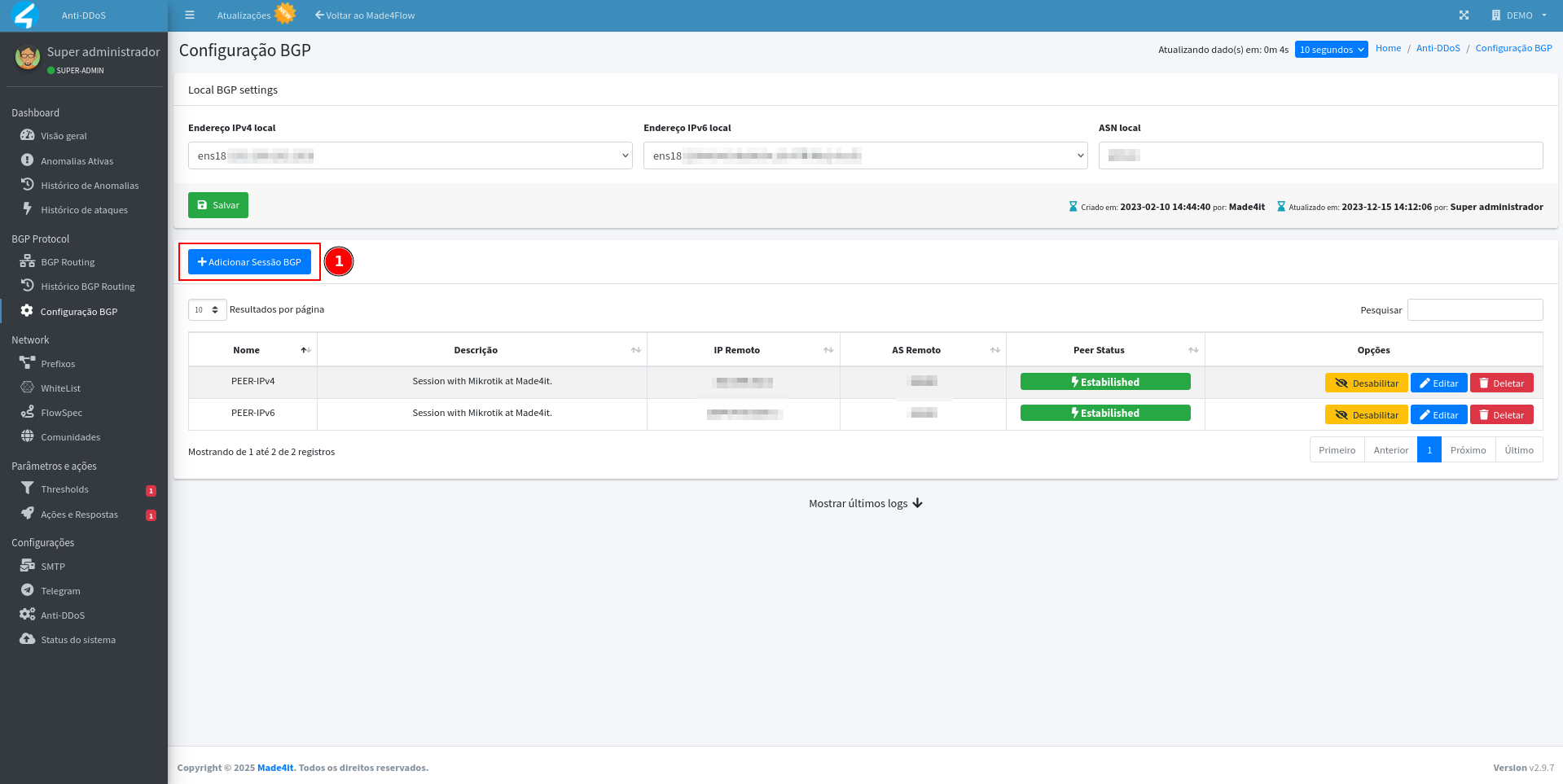
After setting the local parameters, click on "Add BGP Session" to register a new connection with your environment's router:
Fill in the following fields:
- Name: Session identification (e.g. BGP-Core-SP or Router-CGNAT).
- Description: Optional information about the session's function.
- ip Remote: ip address of the remote router that will close the session with Anti-DDoS.
- Remote ASN: ASN of the remote router (equipment that connects to made4flow).
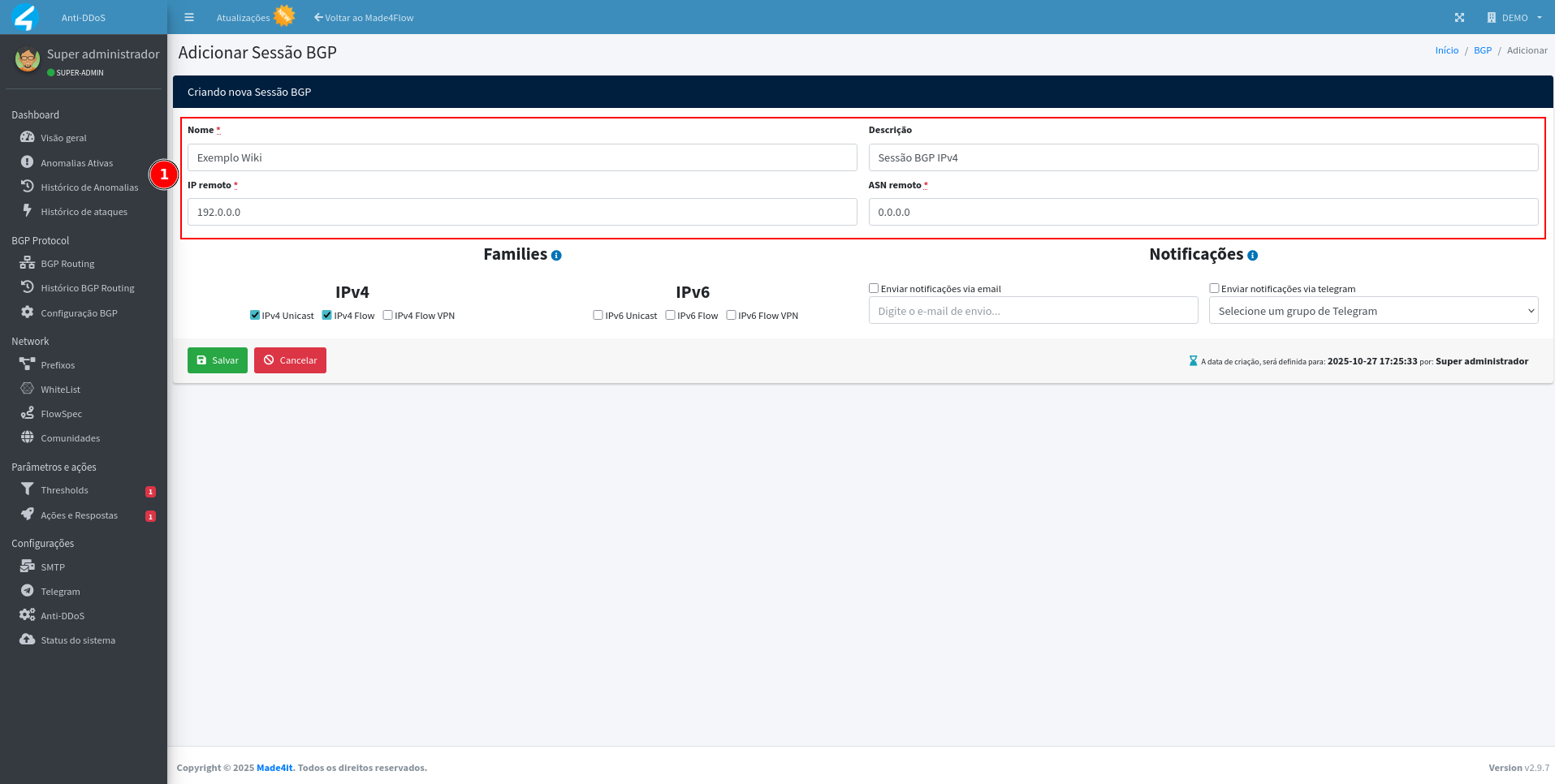
Note: The ip and remote ASN always correspond to the external equipment (e.g., edge router), while local data belongs to made4flow + Anti-DDoS.
¶ Defining families
In the session configuration, mark the address families used:
-
For IPv4 sessions, keep the following options enabled:
IPv4 Unicast
IPv4 5 -
For IPv6 sessions, check only:
IPv6 Unicast
IPv6 is the most recent version of the Internet Protocol (IP).
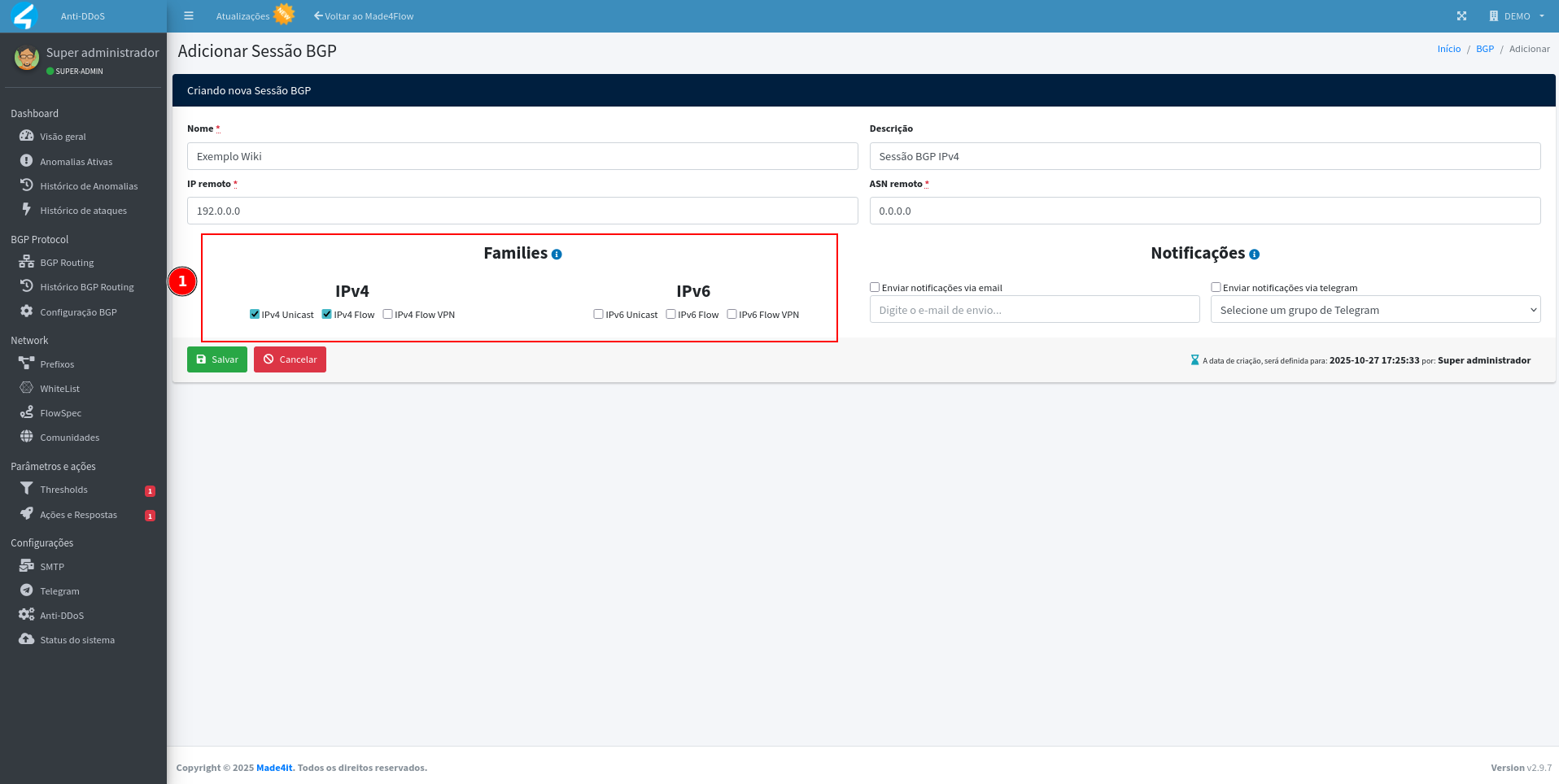
These options determine whether the session will exchange default routes (Unicast) and/or FlowSpec routes (used in attack mitigation).
¶ Setting up session alerts
If you wish to be notified about fluctuations or drops in the BGP session, enable the email alert and/or Telegram options.
Please provide more context for translation.
- The Telegram group previously set up in Anti-DDoS, and/ou
- The email address that should receive the notifications.

Important: The SMTP server and/or Telegram integration need to be configured in the Settings module of Anti-DDoS before enabling these notifications.
¶ Tracking session status
After saving the settings, go back to the BGP Configuration tab.
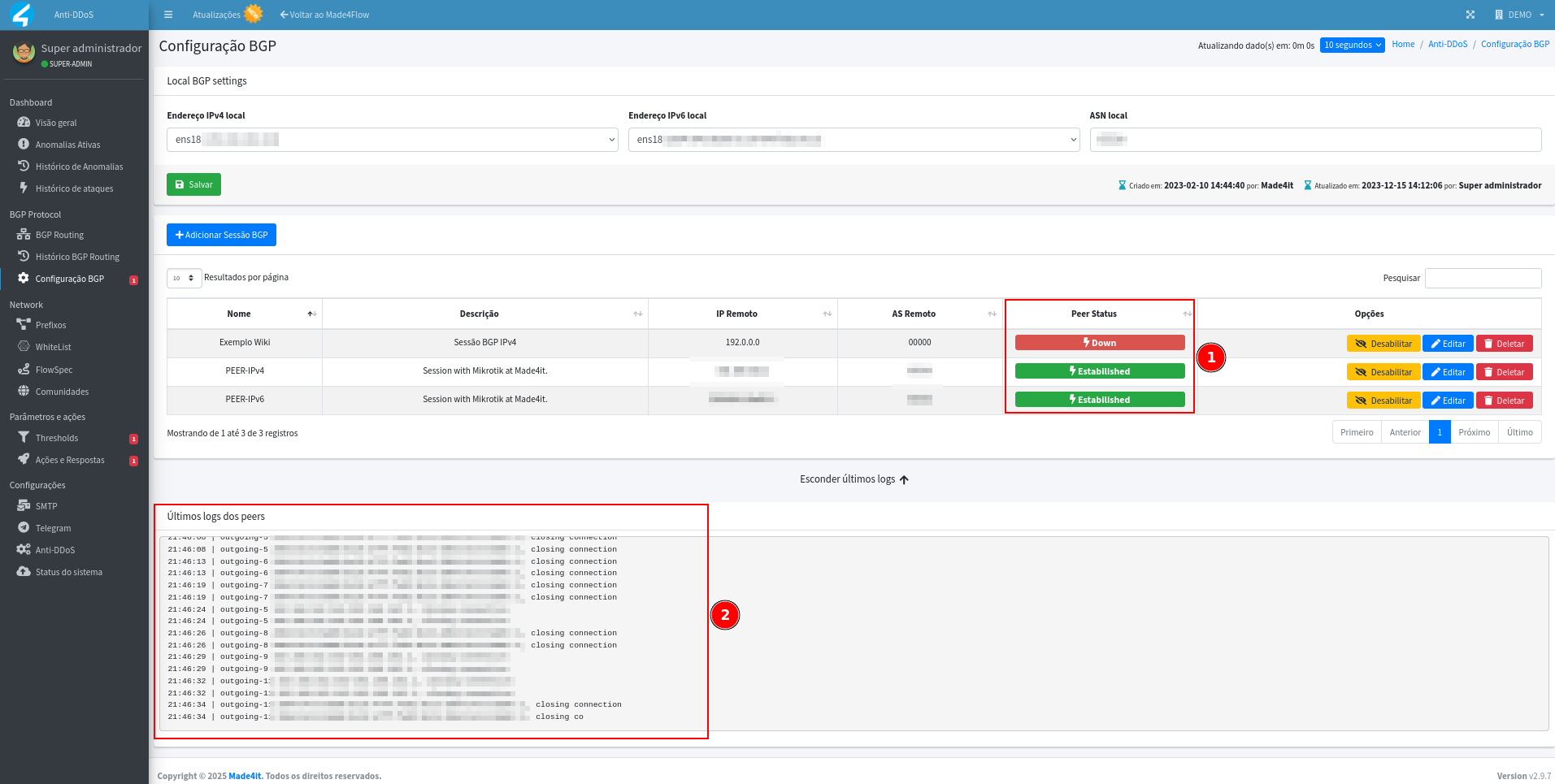
You will be able to view the status of the sessions in the main table:
- Established → Active session exchanging information normally.
- Down → Inactive session or communication failure.
At the bottom of the screen, there is also a history with the latest BGP event logs, useful for debugging.
¶ Session details
When clicking on Edit in a BGP session, it is possible to view detailed information, such as:
- Current state (Established, Active, Idle, etc)
- Total uptime time
- Among other session information
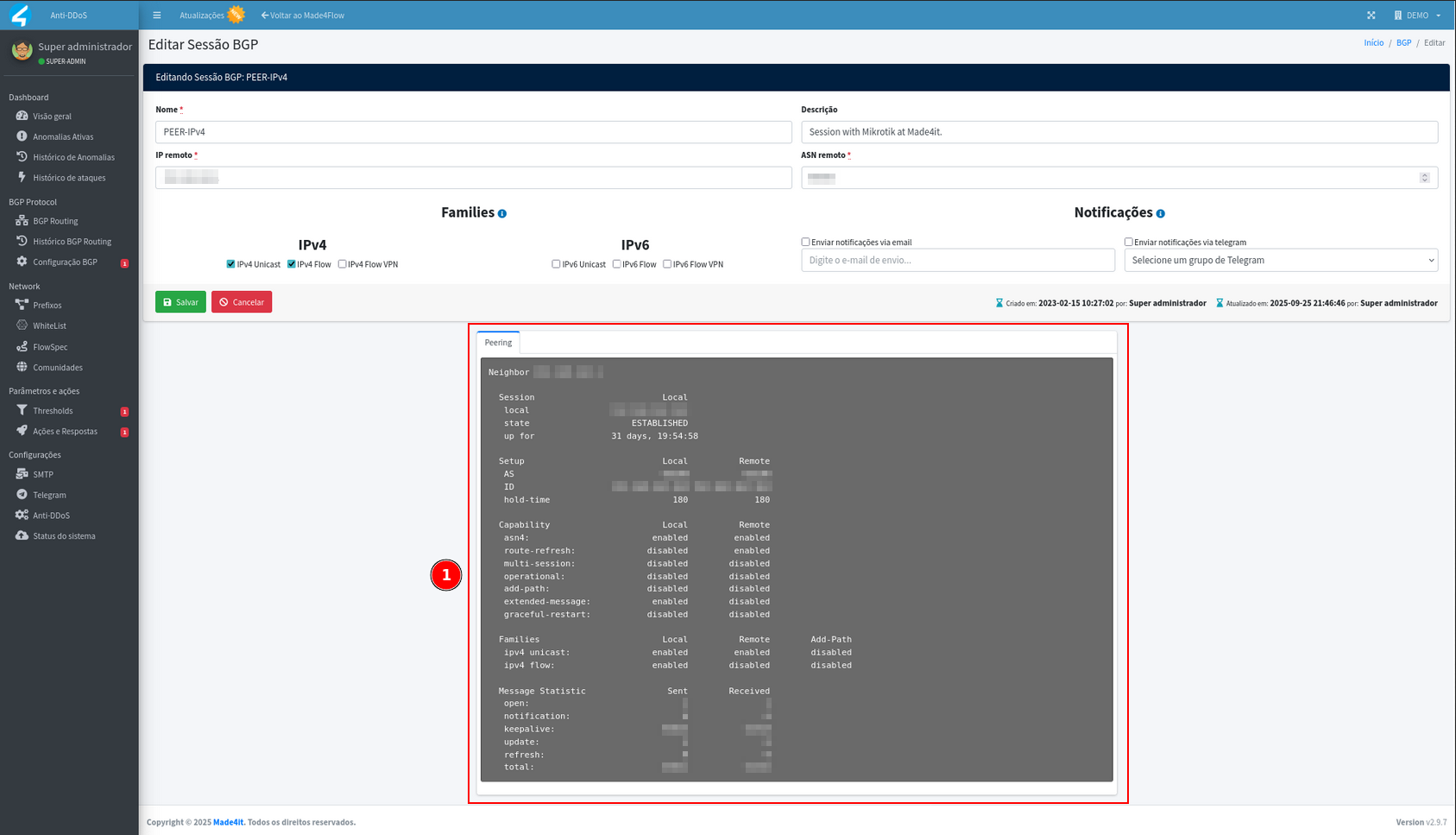
These data help in the analysis of stability and troubleshooting of the BGP connection with Anti-DDoS.
¶ Final considerations
With the BGP session properly configured, the Anti-DDoS will be able to advertise FlowSpec, Mitigation, and Blackhole routes according to anomaly detections.
Keeping sessions active and monitored is essential to ensure a quick and efficient response to attacks.